
Why Better Warranty Documentation Protects Wireless Dealers
Why Better Warranty Documentation Protects Wireless Dealers
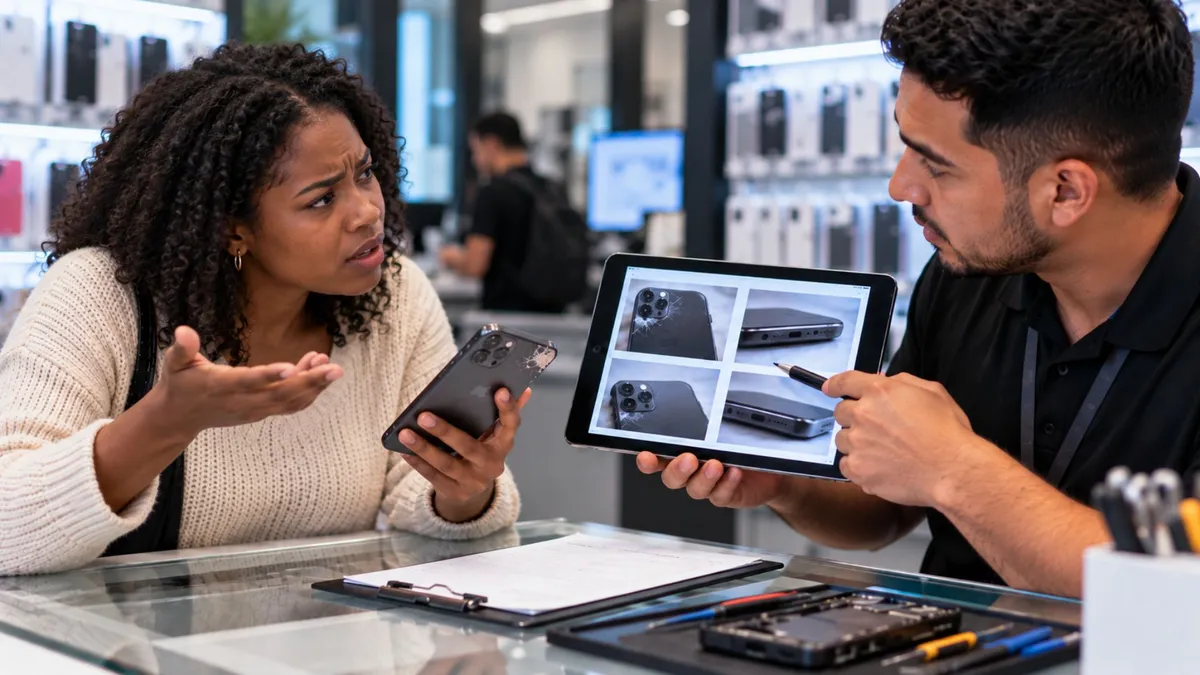
A customer comes back after a repair and says:
“That damage was not there before.”
Now your employee says one thing. The customer says another. Nobody has photos. Nobody wrote down the original condition. And a simple warranty conversation turns into an argument.
That is the problem.
Good warranty handling starts before the repair even begins.
For wireless dealers and repair shops, clear documentation protects the customer, protects the store, and makes problems much easier to solve when someone comes back later.
The goal is simple:
Document what happened so you do not have to depend on memory.
Warranty problems can cost more than the repair itself.
A poorly handled dispute can lead to:
Refunds
Repeat labor
Lost time
Angry customers
Negative reviews
Staff confusion
Damage to the store’s reputation
The source article makes the core point clearly: consistent documentation helps a store answer what condition the device was in, what was repaired, what parts were used, what passed testing, and whether the new issue is actually related to the original work.
That turns the conversation from:
“You broke my phone.”
into:
“Let’s look at the original record and see what changed.”
That is a much stronger position.
Warranty documentation does not need to be complicated.
You need a repeatable record of:
Who the customer is
What device they brought in
What problem they reported
What the device looked like
What was tested
What repair was approved
What parts were installed
What passed after repair
What the customer confirmed at pickup
The key is consistency.
If one employee takes photos and another does not, your system is weak.
Every repair should follow the same basic process.
A customer brings in a phone with a cracked screen.
Your team replaces the display.
Three days later, the customer returns and says:
“Now the frame is bent. You did that.”
If you have no photos, the conversation becomes emotional.
But if the original ticket shows a clear photo of the bent frame before repair, the situation changes immediately.
You can calmly explain:
“Here is the condition when the phone was dropped off. The frame bend was already documented before the repair.”
No arguing.
No guessing.
Just evidence.
What Dealers Need to Understand
Document the Customer and Device
Every repair ticket should clearly identify the customer and the device.
Useful information can include:
Customer name
Contact number
Device make and model
IMEI or serial number when appropriate
Storage size when useful
The source specifically recommends customer and device identification as the first part of a consistent warranty record.
Write the Customer’s Problem in Their Words
Do not immediately diagnose the device in the ticket.
Write what the customer actually says.
For example:
Customer says:
“Phone stopped charging after it fell.”
Not:
Technician diagnosis:
“Bad charging port.”
Those are different things.
The original complaint protects both sides because it shows what the customer reported before work started.
Take Intake Photos Every Time
Photos are one of the strongest pieces of documentation a store can keep.
Take clear photos of:
Front glass
Back
Frame
Camera area
Ports
Existing cracks
Dents
Separation
Water or corrosion signs when visible
The source calls intake photos non-negotiable and specifically recommends documenting damage around the glass, housing, frame, camera lenses, and ports.
Test Before You Repair
Do a quick functional check when possible.
Examples:
Does it power on?
Does it charge?
Does touch work?
Do the cameras open?
Does the speaker work?
Does the microphone work?
Are biometrics working?
Is cellular or Wi-Fi working?
If something cannot be tested, mark:
Not tested.
Do not leave blanks.
That helps later if a customer says a feature stopped working after the repair. The source recommends recording pass/fail/not-tested status instead of leaving missing information.
Be Clear About What You Are Fixing
Do not write:
“Fix phone.”
Write:
“Screen replacement.”
Be specific.
Also note what is not included.
For example:
Screen replacement only. Existing frame bend not included.
The clearer the scope, the easier it is to explain warranty coverage later.
Track the Parts Used
If a part fails later, your store should know:
What part was installed
What quality level it was
Where it came from
When it was installed
The source points out that parts traceability helps stores identify repeat failures and possible supplier problems.
Test Again Before Pickup
Do not assume a repair is finished just because the new part is installed.
Run a simple quality check.
Test:
Charging
Touch
Display
Cameras
Speaker
Microphone
Biometrics when relevant
The source emphasizes post-repair quality checks as both a quality-control step and a way to defend warranty decisions later.
Dealer Tip
Use the same checklist for every repair.
Do not depend on employees remembering what to document.
If it is important, make it part of the system.
Photos. Tests. Approval. Repair scope. Final check. Every time.
What Customers Actually Care About
Customers usually want three things when something goes wrong:
“Are you going to listen to me?”
“Is this covered?”
“What happens next?”
A good warranty process should answer those questions quickly.
The goal is not to prove the customer wrong.
The goal is to understand the situation using clear records.
That keeps the conversation calmer and more professional.
How to Talk About It in the Store
When a customer comes back with a warranty concern, start calmly.
You can say:
“No problem. Let’s pull up the original repair record and compare the device condition and test results. Then we can see what is covered and what the next step should be.”
If the issue appears connected to the original repair:
“This looks related to the work we performed. Let’s take care of the next step and test everything again before pickup.”
If the issue appears unrelated:
“Based on the original photos and test results, this looks like a separate issue. We can still help you, but it would need to be handled as a new repair.”
The source article uses this same evidence-first approach in its warranty scripts.
The Business Opportunity
Good warranty handling is not only about avoiding problems.
It also helps build trust.
A customer who sees that your store:
Documents carefully
Communicates clearly
Handles issues professionally
Stands behind legitimate warranty work
Explains when something is not covered
is more likely to trust you again.
That can lead to:
Repeat repairs
Device upgrades
Accessories
Referrals
Wireless activations
Stronger long-term customer relationships
The biggest opportunity is not squeezing more money out of a warranty visit.
It is showing the customer that your store operates professionally.
What Dealers Should Do Next
1. Create one standard intake checklist
Every employee should use the same process.
2. Require intake photos
Do not close the intake step until basic photos are saved.
3. Use clear test results
Record:
Pass / Fail / Not Tested
4. Define repair scope clearly
Write exactly what the customer approved.
5. Keep warranty records easy to find
When a customer returns, employees should be able to pull the original information quickly.
The source also recommends standardized checklists, required intake photos, simple dropdown-style test results, organized photo storage, and training staff to use clear scope-of-work language.
Most warranty problems become harder when nobody has proof.
Your team should not have to remember what a phone looked like three weeks ago.
The customer should not have to rely only on their memory either.
Good documentation creates clarity.
Take the photos.
Record the symptoms.
Test the device.
Write down what you repaired.
Confirm everything before pickup.
That simple discipline can make warranty conversations faster, calmer, and much easier for everyone.
A stronger wireless business is built on good systems, not guesswork.
At Unlimited Prepay Distribution, we believe dealers need practical support, better processes, and real industry guidance to help them build stronger stores.
Connect with UPD and grow with a team that understands what dealers deal with every day.


