
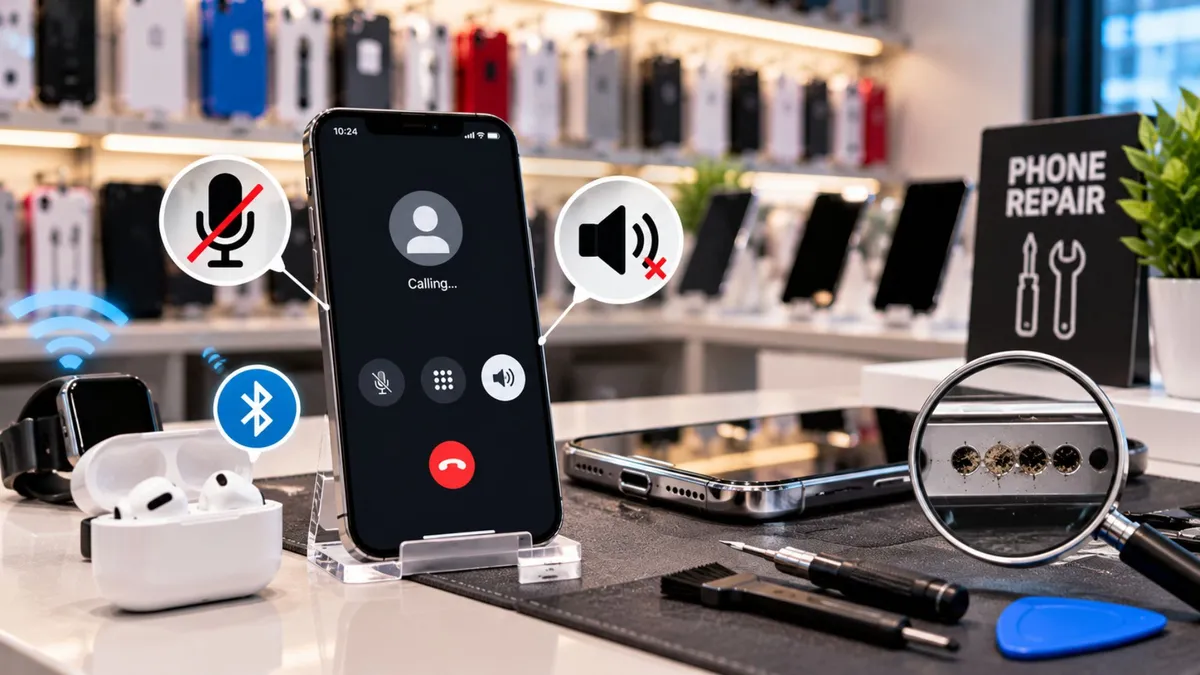
What Wireless Dealers Should Check When a Phone Speaker or Microphone Stops Working
What Wireless Dealers Should Check When a Phone Speaker or Microphone Stops Working
A customer walks into your store and says:
“Nobody can hear me on calls.”
Another says:
“My speaker sounds muffled.”
The easy answer is:
“You need a new microphone.”
or:
“The speaker needs to be replaced.”
But that can be the wrong diagnosis.
Sometimes Bluetooth is routing the sound somewhere else.
Sometimes dirt is blocking the speaker grille.
Sometimes one microphone works while another does not.
And sometimes the issue is deeper than either component.
That is why dealers should follow one rule:
Test the audio problem before you sell the repair.
Audio complaints are common because customers use their phones for:
Calls
Speakerphone
Voice messages
Video
FaceTime
Social apps
Work meetings
The problem is that “my microphone is broken” does not tell you enough.
The source recommends first identifying whether the problem happens during regular calls, speakerphone, voice recording, video, or specific apps because modern phones can use different speakers and microphones for different tasks.
That distinction can prevent a bad repair quote.
Before opening the phone, figure out exactly what is failing.
Ask:
Can the customer hear other people?
Can other people hear the customer?
Does speakerphone work?
Does a voice recording sound normal?
Does the problem happen in every app?
Did it start after a drop or water exposure?
You are trying to separate four possible areas:
Settings
Routing
Obstruction
Hardware
That makes the next step much clearer.
A customer says:
“My microphone stopped working.”
Your employee could immediately quote microphone replacement.
Instead, they record a short voice memo.
It sounds perfectly clear.
Then they make a regular call.
The other person cannot hear the customer.
Next, they switch to speakerphones.
Now the other person hears them clearly.
That tells you something important.
The phone clearly has working audio hardware somewhere in the system.
The problem may be isolated to the primary call microphone path rather than every microphone on the device.
The source uses this type of comparison between regular calls, speakerphone, and recordings to help identify which audio path may actually be affected.
Now you have evidence.
Not a guess.
What Dealers Need to Understand
Check Bluetooth Before Anything Else
This is one of the simplest problems to miss.
The phone may still be connected to:
Earbuds
Headphones
A car
A speaker
Another Bluetooth device
The customer thinks the phone speaker is not working, but the audio is being sent somewhere else.
The source recommends turning Bluetooth off and checking the active audio output before opening the phone.
That can turn a repair conversation into a 30-second settings fix.
Test the Speaker and Microphone Separately
Do not use one test for everything.
A simple diagnostic can include:
Voice recording
Tests recording plus speaker playback.
Regular call
Tests the earpiece and primary call microphone.
Speakerphone call
Tests the loudspeaker and another microphone path.
The source recommends this three-part test because the results can help narrow the issue to a specific component or audio path.
That is much better than saying:
“The audio is broken.”
Dirt Can Sound Like Hardware Failure
Speaker and microphone openings collect:
Pocket lint
Dust
Makeup
Dirt
Residue
That can make audio sound quiet or muffled.
The source recommends safe cleaning and retesting before quoting hardware replacement.
But use the right tools.
Do not push debris deeper or use liquids carelessly.
The goal is to improve the problem, not create another one.
Cases and Screen Protectors Can Cause Problems Too
Some accessories can partially block audio openings.
That is easy to test.
Remove the case.
Retest the speaker and microphone.
If the problem disappears, you found the issue without opening the device.
The source specifically includes case or protector interference as one of the simple checks dealers should make first.
App Problems Are Different From Phone Problems
If the microphone works normally in:
Calls
Camera
Voice recorder
but fails only in one app, the problem may not be hardware.
Check:
Microphone permission
App updates
Reinstall options
Native app comparison
The source recommends comparing the failing app against the phone’s built-in recorder or camera to help separate app-specific issues from device-wide hardware problems.
That is an easy way to avoid unnecessary repair work.
Water Damage Changes the Conversation
If the audio problem started after:
Water exposure
Heavy humidity
A major drop
Previous repair work
be careful.
The source identifies worsening intermittent audio, multiple failing functions, overheating, liquid exposure, and unknown previous repair work as signs that the problem may go deeper than a simple speaker or microphone replacement.
That is when the right answer may be:
“This needs deeper diagnostics first.”
Do not promise a simple component replacement if the evidence points somewhere else.
Dealer Tip
Teach your team this simple order:
Ask → Check Bluetooth → Record → Call → Speakerphone → Clean → Retest → Quote
That process takes only a few minutes.
But it can save your store from selling the wrong repair.
What Customers Actually Care About
Customers are usually thinking:
“Why can’t they hear me?”
“Why is my speaker so quiet?”
“Is my phone broken?”
“How much will this cost?”
They do not need a technical breakdown of every microphone inside the phone.
Say:
“Phones use different audio paths depending on whether you’re making a regular call, using speakerphone, or recording. Let’s test each one so we know what is actually failing.”
That sounds professional because it is.
How to Talk About It in the Store
If the problem may be settings:
“Before we open anything, let’s make sure the sound isn’t being routed to Bluetooth or another device.”
If the speaker sounds muffled:
“There may be debris blocking the grille. Let’s clean and retest it before we talk about replacing anything.”
If one audio mode works and another does not:
“The phone has multiple microphones and speakers. Since one mode works and another does not, we need to isolate which path is causing the problem.”
If deeper damage is suspected:
“Because this started after liquid exposure and more than one function is affected, I do not want to promise that replacing one speaker or microphone will fix it. This needs a deeper diagnosis.”
Clear expectations protect trust.
The Business Opportunity
Audio problems can lead to legitimate customer needs.
Depending on the diagnosis, that may include:
Cleaning service
Speaker replacement
Microphone repair
Protective case replacement
Device repair
Replacement phone
Data transfer
New activation
Accessories
But the order matters.
Diagnosis first. Repair second. Sale third.
The source’s final lesson is that audio repairs become more reliable when dealers diagnose in the right order, try simple fixes first, and only quote hardware when the evidence supports it.
That reduces comebacks.
And fewer comebacks usually means a stronger customer relationship.
What Dealers Should Do Next
1. Create one audio diagnostic checklist
Every employee should use the same steps.
2. Test multiple audio modes
Do not judge the whole phone from one call.
3. Clean before replacing when appropriate
Simple problems should get simple solutions.
4. Train staff to recognize red flags
Water damage, overheating, and multiple failing functions may need deeper diagnostics.
5. Quote only after testing
Do not promise a speaker or microphone replacement before you know what is failing.
A customer saying:
“My mic is broken.”
does not tell you what repair they need.
The problem could be:
Bluetooth.
Settings.
Debris.
An app.
A specific microphone.
A speaker.
Liquid damage.
Something deeper inside the phone.
That is why strong dealers diagnose before they replace.
Ask the right questions.
Run simple tests. Try the safe fixes.
Then quote the repair that matches the evidence.
Do not replace the part the customer names. Find the problem first.
At Unlimited Prepay Distribution, we believe stronger wireless dealers grow by becoming more knowledgeable, more useful, and more consistent inside the store.
Better troubleshooting, clearer customer conversations, and real dealer support can help stores reduce unnecessary problems while creating stronger long-term relationships.
Connect with UPD and build your wireless business with a team that understands what dealers face at the counter every day.


