
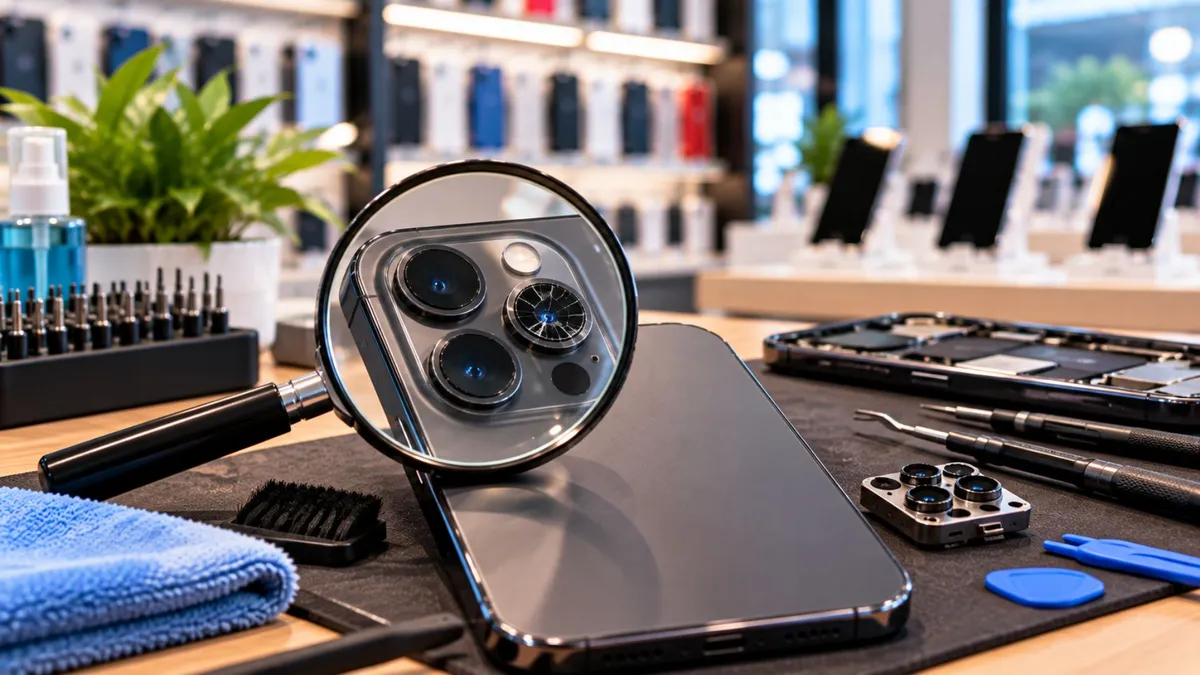
What Wireless Dealers Should Check Before Replacing a Cracked Phone Camera
What Wireless Dealers Should Check Before Replacing a Cracked Phone Camera
A customer walks into your store with a cracked camera lens and says:
“My camera is broken. How much to replace it?”
The mistake is assuming the answer before testing anything.
Sometimes only the outer lens glass is damaged.
Other times the impact also affects the camera module, focus system, stabilization, or image quality.
And if the glass is missing, dust and moisture may already be getting inside.
That is why dealers should not quote the repair based on the crack alone.
Test the camera first. Then recommend the repair.
Camera damage is a common repair conversation, especially on phones with large rear camera areas.
The problem is that two devices can look almost identical from the outside but need completely different repairs.
One may need:
Lens glass only
Another may need:
Camera module replacement
Lens glass replacement
Cleaning
A deeper technician inspection
The source specifically warns that assuming every crack is either a cheap lens-only repair or an expensive full-camera repair can create repeat problems and unhappy customers.
For dealers, the goal is simple:
Diagnose before you quote.
There are two different parts dealers should understand.
Outer Camera Lens Glass
This is the protective glass covering the camera opening.
It can crack while the actual camera underneath still works normally.
Camera Module
This is the internal camera system responsible for:
Capturing the image
Focusing
Stabilization
Sensor performance
A broken outer lens does not automatically mean the module is damaged.
But a cracked or missing lens can expose that module to dust and moisture over time.
A customer drops their phone.
The outer camera lens cracks.
They keep using it for two weeks because the camera still works.
Then they notice:
“My pictures are starting to look blurry.”
At this point, replacing only the outer glass may not solve the problem.
Dust or moisture may have entered through the damaged lens cover.
Or the original impact may have affected the camera module.
That is why the store should test the camera before promising:
“We just need to replace the glass.”
The better response is:
“Let’s test the camera first and see whether the damage is only on the outside or if the camera itself was affected.”
What Dealers Need to Understand
Ask How the Damage Happened
The first clues often come from the customer.
Ask:
Was the phone dropped?
Did the camera work immediately afterward?
Are photos blurry?
Does focus keep moving?
Is the image shaking?
Has the phone been around dust or moisture since the crack?
The source recommends these intake questions because symptoms after the impact can help indicate whether the problem goes beyond the outer glass.
Look at the Crack Carefully
Not every crack looks the same.
A small hairline crack with clear photos may be very different from:
Missing glass
A hole over the camera
Shattered edges
Raised pieces of glass
Missing glass is more urgent because the camera area is exposed.
The source notes that missing glass increases the risk of dust and moisture entering the device.
Test Near and Far Focus
Take one photo up close.
Then take another photo of something farther away.
If both images look sharp, that is a good sign.
If the camera struggles to focus or one distance stays blurry, the internal camera system may be affected.
The source recommends this simple near-and-far test as one way to check camera performance before deciding on the repair.
Check for Haze or Light Problems
Point the camera toward a bright light.
Look for:
Haze
Fogging
Strange streaks
Glare that was not there before
These symptoms can indicate contamination around the lens area or deeper optical damage.
Watch the Stabilization
If the phone uses optical image stabilization, pay attention when the camera opens.
Does the image shake abnormally?
Do you hear clicking?
Does the focus seem unstable?
Those may be signs that replacing only the outer glass will not solve the problem.
Know When Lens Glass Alone May Be Enough
A lens-only repair may make sense when:
Images stay sharp
Focus works normally
There is no haze
Stabilization is normal
The crack is contained
But again, the exact repair decision should come from inspection and testing not assumption.
Know When the Camera Module May Need Attention
A deeper camera repair may be needed when:
Focus constantly fails
Photos stay blurry
The image shakes
The camera app shows errors
There is internal contamination
The source identifies these as warning signs that the issue may extend beyond the outer lens.
Dealer Tip
Before quoting any cracked-camera repair, do three quick checks:
Focus. Clarity. Stabilization.
If all three look normal, you have a much clearer starting point.
If one fails, stop promising a lens-only fix.
What Customers Actually Care About
Customers are usually thinking:
“Will my camera work normally again?”
“Do I really need the expensive repair?”
“Is the crack going to make it worse?”
“Can I keep using the phone like this?”
That is why dealers should avoid technical overload.
Say:
“The outside glass is cracked, but we need to check whether the camera itself was also affected.”
That is simple and accurate.
How to Talk About It in the Store
If the camera is still working well:
“The camera is focusing and the pictures are still clear. The damaged part appears to be the outer lens cover, but we should replace it to keep dust and moisture out.”
If the camera is blurry or unstable:
“The crack is not the only issue. The camera is also having trouble focusing, so replacing only the outer glass may not fix the problem.”
If glass is missing:
“The camera area is exposed right now. Even if it still works, dirt or moisture can get inside, so it is better to address it sooner.”
Clear expectations reduce comebacks.
The Business Opportunity
Camera damage can create several legitimate service opportunities.
Depending on the condition of the device, the customer may need:
Lens repair
Camera module repair
Device cleaning
Protective case
Device replacement
Upgrade
Data transfer help
But the important order is:
Inspect → Explain → Recommend
Not:
Crack → Upsell
The source also emphasizes documenting camera performance before repair so the customer understands what was already working—and what was not.
That protects trust and makes warranty conversations easier later.
What Dealers Should Do Next
1. Train staff to separate lens damage from camera damage
Do not use “broken camera” as one general diagnosis.
2. Run a quick camera test before quoting
Check focus, clarity, and stabilization.
3. Document the condition
Take photos and record what the camera was doing before repair.
4. Explain the repair scope
Be clear about whether the work covers the outer lens, the camera module, or both.
5. Refer deeper repairs when necessary
If the diagnosis requires advanced repair skills, send it to a trained technician.
A cracked camera lens does not tell you the whole story.
Sometimes the problem is only the outer glass.
Sometimes the impact also damages focus, stabilization, or image quality.
And sometimes the phone keeps working at first, but exposure allows dust or moisture inside later.
That is why the best dealers do not guess.
They ask.
They inspect.
They test.
Then they recommend the repair that matches the evidence.
The crack tells you where to look. The camera test tells you what to fix.
At Unlimited Prepay Distribution, we believe strong dealers grow by understanding more of the real problems customers bring into the store.
UPD supports dealers with practical guidance, wireless programs, and real industry experience designed to help stores serve customers better and grow smarter.
Connect with UPD and build your wireless business with a team that understands the dealer side.


