
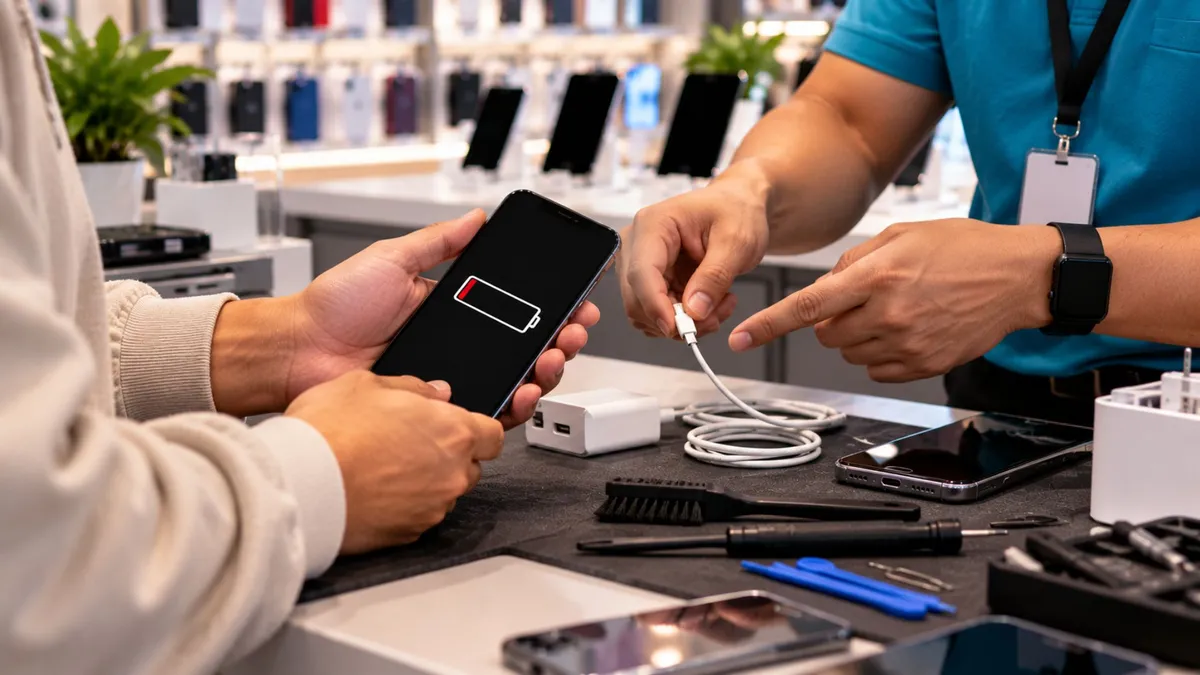
What Wireless Dealers Should Check Before Calling a Phone “Dead”
What Wireless Dealers Should Check Before Calling a Phone “Dead”
A customer walks into your store and says:
“My phone won’t charge anymore. I think I need a new one.”
It would be easy to start talking about replacement devices right away.
But sometimes the problem is much simpler.
The cable may be bad.
The charging brick may have failed.
There may be lint packed inside the charging port.
Or the port itself may actually be damaged.
The important lesson for dealers is simple:
Do not guess. Check the basic things first.
A quick inspection can save the customer money, build trust, and sometimes create another useful service opportunity inside the store.
Charging problems are common.
Customers may walk in because:
The phone charges only sometimes
The cable feels loose
The device charges only at an angle
The phone will not charge at all
The customer thinks the battery is dead
They are already considering a replacement device
The source points out that simple charging issues can affect credibility, customer service, and store revenue because a dealer who knows what to check can solve the problem faster and avoid unnecessary guessing.
That is why every front-counter employee should understand the basics.
When a phone stops charging, there are a few common possibilities:
Dirt or lint blocking the connection
A bad charging cable
A bad wall adapter
A worn or damaged charging port
A deeper internal hardware problem
The first step should not be:
“You need a new phone.”
It should be:
“Let’s check what is actually causing the problem.”
That small shift makes the store look more helpful and more professional.
A customer brings in a phone and says:
“It only charges if I hold the cable sideways.”
That is useful information.
Instead of immediately blaming the battery, your employee checks the port under good light.
They notice the cable does not fully seat inside the port.
Now the problem may be debris or physical wear around the charging connection.
That gives the customer a much better answer than:
“The phone is probably dead.”
You are not promising the fix.
You are simply narrowing down the problem.
That builds trust.
What Dealers Need to Understand
Start With the Cable and Adapter
Before touching the phone, test with a known-good cable and wall adapter.
The source specifically recommends this as the first troubleshooting step because charging accessories can fail before the phone itself does.
If the phone starts charging normally, you may have solved the problem without doing anything to the device.
Look Inside the Charging Port
Use a light.
Check for:
Lint
Dirt
Sand
Visible corrosion
Bent or damaged contacts
The source notes that packed debris can prevent the cable from fully connecting and can make charging intermittent or stop completely.
Do not guess based only on what the outside looks like.
Pay Attention to How the Cable Fits
If the cable:
Feels loose
Does not sit fully inside
Wiggles excessively
Only works at a certain angle
that may point toward debris or a worn port.
That is useful information before the device ever reaches a technician.
Ask About Water
This is important.
If the device has been exposed to:
Rain
A pool
A spilled drink
Heavy moisture
the situation may be more serious.
The source recommends escalating liquid exposure and visible corrosion to a trained technician instead of treating it like a normal quick-cleaning issue.
Know When to Stop
A front-counter employee does not need to repair every problem.
If basic checks do not solve the issue, the device may need:
Professional port cleaning
Port replacement
Internal repair
Board-level work
The source is clear that deeper repair work should be handled by trained technicians because attempting advanced work without the right skill can make the problem worse.
That is part of being professional too.
Dealer Tip
Teach your team this simple order:
Cable → Adapter → Port → Water check → Technician
Do not jump from:
“It won’t charge.”
straight to:
“You need a new phone.”
Check the easy things first.
What Customers Actually Care About
Customers are usually thinking:
“Is my phone broken?”
“Do I need to spend money on a new one?”
“Can this be fixed?”
“How long will this take?”
Your employee does not need a technical speech.
They need to say:
“Let me check the simple causes first before we talk about replacing anything.”
That is a better customer experience.
How to Talk About It in the Store
You can say:
“Before we talk about replacing the phone, let me check the cable, adapter, and charging port.”
If you see debris:
“There may be something blocking the connection. Let’s have the port checked properly before assuming the phone is bad.”
If there is water exposure:
“Because the device may have liquid damage, this should go to a trained technician before we try anything else.”
If the problem appears deeper:
“The basic checks did not solve it, so the next step is a proper repair diagnosis.”
Simple.
Clear.
No false promises.
The Business Opportunity
Charging problems can lead to several natural customer needs.
If the cable is bad:
The customer may need a replacement cable
They may also need a wall adapter or car charger
If the port needs repair:
A trained repair service may help
If the device is no longer worth repairing:
The customer may need a replacement phone
An activation
A case
A charger
Data transfer help
The source also points out that charging issues can create opportunities around cleaning, accessories, repair work, and device replacement when handled honestly.
The rule stays the same:
Solve the problem first.
Then talk about the next real need.
What Dealers Should Do Next
1. Train every employee on basic charging checks
Do not leave this knowledge only to technicians.
2. Keep a known-good cable and adapter behind the counter
Use them for simple testing.
3. Use proper lighting
A flashlight can reveal a lot.
4. Ask about water exposure
Do this before trying anything more involved.
5. Know your limit
If the issue needs advanced repair, send it to a trained technician.
A phone that will not charge is not automatically a dead phone.
Sometimes the problem is simple.
Sometimes it is not.
The dealer’s job is to know the difference between what can be checked at the counter and what needs professional repair.
Test the cable.
Check the adapter.
Look at the port.
Ask about liquid exposure.
Then decide the next step.
Good dealers check before they sell.
At Unlimited Prepay Distribution, we believe strong dealers grow by being useful, informed, and ready for the real situations customers bring into the store.
UPD helps dealers with practical guidance, wireless programs, and support built around everyday store growth.
Connect with UPD and build your wireless business with a team that understands the dealer side.


