
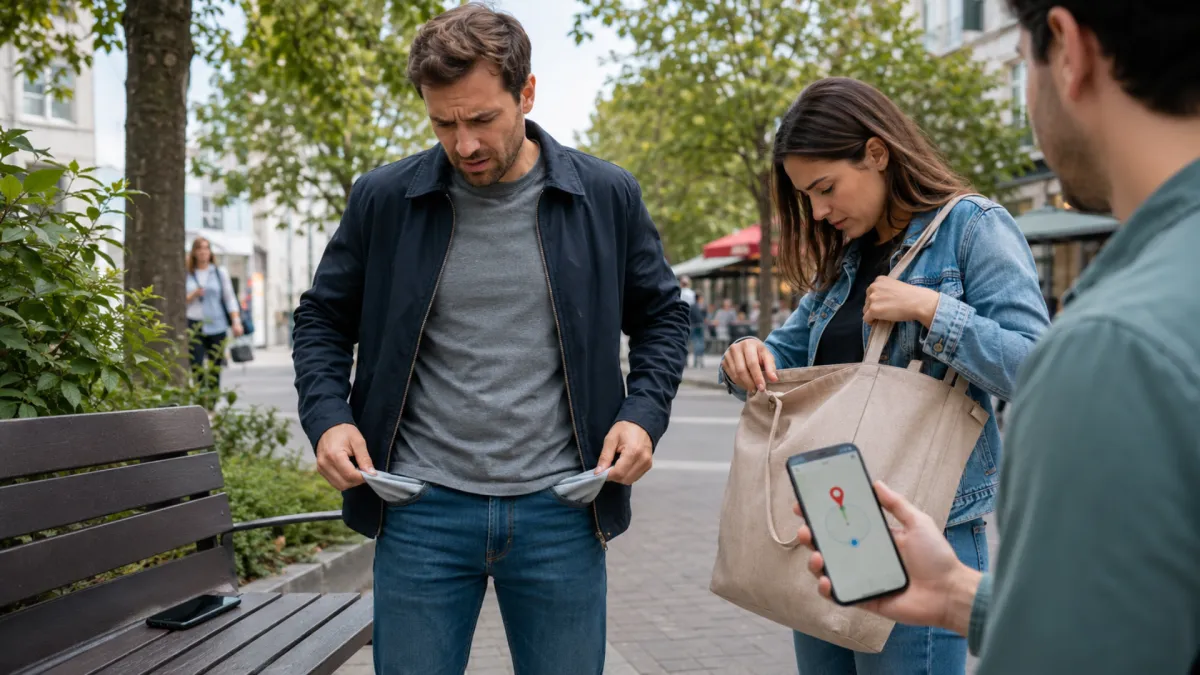
What to Do When You Lose Your Android Phone
What to Do When You Lose Your Android Phone
Losing your phone can throw your whole day off fast.
One minute it’s in your hand, the next minute it’s gone, and now you’re running through every place you’ve been, trying to remember where you last had it. I’ve seen this happen to a lot of people, and the first mistake they make is panic. The second mistake is waiting too long to act.
When an Android phone goes missing, speed matters.
Not just because of the phone itself, but because your phone carries everything now. Photos, messages, banking apps, passwords, account access, business information, personal information, all of it. So the goal is not just finding the device. The goal is protecting your data, securing your accounts, and giving yourself the best chance to recover the phone before the problem gets worse.
The good news is, Android gives you some solid tools if you know how to use them.
If your phone is lost, misplaced, left somewhere, or even stolen, here’s what you need to do.
Start With Google’s Find My Device
This is the first place I’d go.
If your Android phone is connected to your Google account and has location services turned on, Google’s Find My Device can help you locate it, make it ring, lock it, or erase it remotely.
That’s your main recovery tool.
If the phone is online, you may be able to see its location on a map. If it’s nearby, you can make it ring at full volume, even if it is silent. That alone saves a lot of people because most lost phones are not stolen. They’re in the house, in the car, under a seat, in a bag, or left behind somewhere nearby.
If the phone is farther away or you think somebody may have it, you can lock it remotely and put a message on the screen with a number where someone can reach you.
That’s a smart move because it protects the phone without completely shutting down your chances of getting it back.
If It’s Nearby Make It Ring Immediately
A lot of people skip this step and go straight into full panic mode.
Don’t.
If the phone might be nearby, use the sound feature right away. You’d be surprised how often the phone is somewhere simple. Under a couch cushion. In a jacket pocket. In a rideshare. In the office. In the car between the seats.
A ringing phone solves the problem fast.
This is one of the easiest ways to recover a lost device because it doesn’t depend on you remembering exactly where you left it. It just helps you track the sound and grab it.
Simple, but effective.
Lock the Phone Fast if You Think It’s Really Lost
If the phone is not nearby, or if you think it may have been left in public, lock it right away.
This matters because once the phone is out of your control, the situation changes. Now it’s not just about finding it. It’s about protecting your information before somebody else gets into it.
Remote locking helps secure the device and keeps your information safer while still giving someone a way to contact you if they’re trying to return it.
A lot of people wait too long here. They think maybe it’ll turn up in a few hours, and meanwhile the phone is sitting there exposed.
Don’t wait on that part.
You can always unlock it later if you recover it. But once somebody gets access to your data, that problem gets bigger fast.
Only Erase the Device if You Think Recovery Is Unlikely
Wiping the phone is the last move, not the first move.
Yes, it protects your data. But once you erase it, you may lose tracking ability too. That means if the phone comes back online later, you may no longer be able to locate it the same way.
So before you wipe it, think clearly.
If the phone still has a chance of being recovered, lock it first and monitor the situation. If it becomes clear that the phone is gone for good, stolen, or completely out of reach, then wiping it makes sense.
Data protection comes first, but you don’t want to kill your recovery options too early if you don’t have to.
Check What Settings Were Enabled Before the Phone Was Lost
This is something people usually think about after the fact, but it matters.
For Android recovery tools to work well, a few things usually need to already be active:
location services
internet access
Google account login
Find My Device enabled
If those settings were on before the phone went missing, your chances are better.
If the phone is offline now, you may still be able to see the last known location. That can help you narrow things down and retrace your steps instead of searching blindly.
This is also why I always tell people: set this stuff up before you need it, not after.
Because once the phone is gone, your options depend on what was already in place.
Use Your Location History to Retrace Your Steps
If you can’t see the phone live, your next best move is figuring out where it was last active.
That’s where location history can help.
If your Google account has location tracking active, you may be able to see recent places the phone was used or connected. That gives you a better timeline of where you were, where the phone may have been left, and what spots you need to check first.
This helps because memory gets messy when stress kicks in.
A location timeline can give you something concrete to work with instead of guessing.
And when it comes to recovering a phone, time matters. The faster you narrow down the last place it was seen, the better your chances.
Contact Your Wireless Carrier Early
This part gets overlooked too much.
If your phone is lost or stolen, contact your carrier early. That helps protect your account and reduces the chances of unauthorized use.
Depending on the situation, your carrier may be able to:
suspend service temporarily
help secure your account
review protection options
help with replacement steps if needed
This is especially important if you think the phone is stolen.
Because even if somebody can’t get into the device right away, they may still try to use the line, access account info, or create problems through the service itself. A fast call to your carrier can stop that before it becomes a bigger mess.
Manufacturer Tools Can Help Too
Some Android phones have extra recovery tools depending on the brand.
That can be useful.
For example, some manufacturers give you their own tracking and recovery platform in addition to Google’s tools. If both are active, that gives you more ways to locate, secure, or manage the phone remotely.
That extra layer can help, especially if one service gives you better location details or device controls than the other.
The key is not to overcomplicate it. Start with Google first, then use manufacturer tools if they’re available on your device.
The main thing is acting fast and sticking to trusted tools.
Retrace Your Physical Steps Before the Trail Goes Cold
Digital tools are important, but don’t ignore real-world action.
Think back to the last places you used the phone:
your car
a rideshare
a store
a restaurant
your office
a friend’s house
public transit
Then start checking those places fast.
If the phone was left somewhere by accident, there’s a good chance it’s still there or someone nearby has already picked it up. The faster you move, the better your chances of getting it back before the situation changes.
A lot of recoveries happen because somebody moved quickly, called the location, checked the car, or went back right away.
Don’t underestimate that.
File a Police Report if You Believe It Was Stolen
If this looks more like theft than a simple loss, document it.
That means filing a police report and having your phone’s IMEI number ready if possible. That number helps identify the device and may be needed for insurance claims, carrier records, or any attempt to block the device from being reused.
Will filing a report always get the phone back? No.
But it still matters.
It creates a record, supports claims, and gives you another layer of protection if the situation gets more serious.
The Biggest Mistake Is Waiting Too Long
This is the truth right here.
When people lose a phone, they often waste time hoping it’ll just show up. Meanwhile the battery drops, the signal changes, the phone moves, or someone else gets involved.
That delay makes recovery harder.
The best move is to act fast:
check tracking
make it ring
lock it
retrace your steps
call your carrier
secure your accounts if needed
Quick action gives you the best chance of recovering the phone and protecting everything tied to it.
Another mistake is using shady websites or fake tools that claim they can find a phone from just a phone number. A lot of those are scams. Stick with the real tools built into your device or offered by the manufacturer and carrier.
The Best Recovery Plan Starts Before You Lose the Phone
The easiest lost phone to recover is the one you prepared for.
That means turning on Find My Device, keeping location active, making sure your Google account is connected properly, and knowing your login details before anything happens.
If you have device protection, even better. That gives you another layer of backup if recovery doesn’t work.
Most people don’t think about this until the phone is already gone. But once the phone disappears, your recovery options depend on how prepared you were ahead of time.
That’s why prevention matters.
Losing an Android phone is frustrating, but it doesn’t have to turn into a disaster.
If you move fast, use the right tools, and protect your account early, you give yourself the best chance of either getting the phone back or at least keeping your information safe.
That’s the real goal.
Not just finding the phone, but staying in control of the situation.
So if your Android phone goes missing, don’t panic. Start with the basics, secure the device, retrace your steps, and take action before the window gets smaller.
That’s how you handle it the right way.
Want more practical wireless advice that actually helps in real life?
At UPD, we believe wireless works better when people have clear information, real support, and straightforward answers they can actually use.
Connect with Unlimited Prepay Distribution and stay plugged into real-world wireless guidance.


