
Use AI Tools to Save Time and Improve Customer Service
Use AI Tools to Save Time and Improve Customer Service
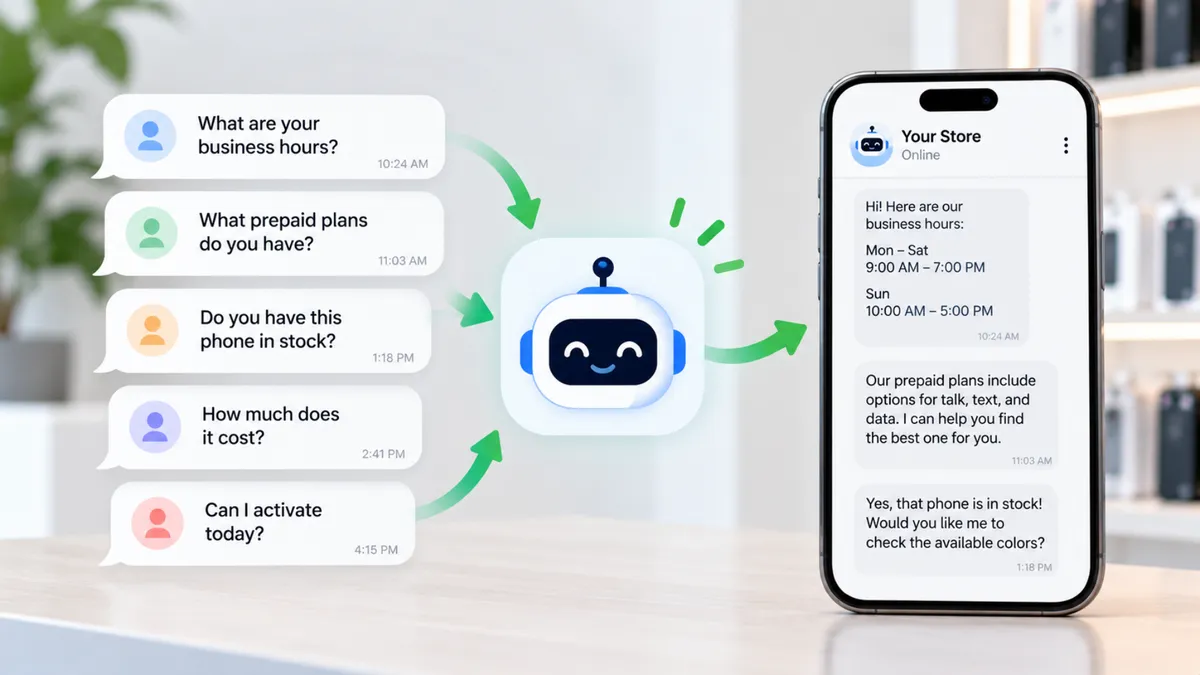
A customer messages your wireless store asking about business hours.
Another wants to know which prepaid plans are available.
Someone else asks whether a particular phone is in stock.
Meanwhile, your employees are helping customers inside the store, completing activations, and answering calls.
By the end of the day, your team may have answered the same questions several times.
This is one reason some wireless businesses are exploring artificial intelligence tools.
AI can help organize information, draft responses, and support certain repetitive tasks.
But using AI does not automatically make a store more efficient.
For independent wireless dealers, the real opportunity is understanding where technology can help and where employees still need to make the decisions.
AI Does Not Have to Be Complicated to Be Useful
When people hear about artificial intelligence, they may think about robots, complicated software, or technology used by large companies.
But many AI features are built into tools businesses already use.
For example, some customer messaging platforms can suggest replies.
Some software can summarize conversations.
Other tools can organize business information or help create reports.
Wireless dealers do not need to understand how every AI model works to evaluate whether a tool is useful.
They need to understand what the tool actually does.
Does it help answer routine questions?
Can it organize customer inquiries?
Does it reduce repetitive administrative work?
Can employees review and correct its output?
These questions matter more than whether the software has an impressive AI label.
Start With the Work That Takes Too Much Time
Before purchasing an AI tool, look at how your store operates.
What tasks do employees repeat throughout the day?
Maybe they answer the same questions about store hours.
Maybe they spend time checking whether customers are still interested in a phone.
Perhaps the manager manually reviews inventory records every evening.
These are different problems.
And they may require different solutions.
Do not buy software simply because it offers AI features.
Start with one specific problem.
For example, if your team struggles to respond to basic customer messages during busy hours, a messaging tool may be worth evaluating.
If inventory reporting is the bigger problem, a better inventory-management system may be more useful.
The goal is to solve an operational problem, not add another subscription.
Common Customer Questions Can Be Easier to Manage
Imagine your store receives several messages each day asking:
“What time do you close?”
“Do you sell prepaid phones?”
“Can I bring my own device?”
“Do you offer phone upgrades?”
These questions may not require a long conversation.
With a properly configured messaging system, some routine inquiries can receive an initial response automatically.
For example, a tool may provide store hours or explain how customers can contact an employee.
But the information must be accurate.
If the store changes its operating hours, the system should be updated.
If a customer asks about a promotion, the tool should not invent an offer.
And if the customer has a complicated account or service issue, there should be a clear way to reach a person.
Automation should make communication easier, not trap customers in incorrect answers.
AI Can Help With Follow-Ups, but Customers Still Need Real Answers
Imagine someone messages your store asking about a prepaid phone.
Your employee explains the available options.
The customer says they will think about it.
A few days pass.
The employee becomes busy and forgets to follow up.
A suitable customer-management system may help organize that inquiry and remind the team to respond.
Some tools can also assist with drafting or scheduling follow-up messages.
However, outreach should follow applicable consent, privacy, and messaging rules.
Customers should not receive unwanted or misleading messages simply because their information was entered into a system.
For example, a useful follow-up might say:
“Hi, this is the wireless store you contacted about phone options. If you're still interested, our team can help you review what's currently available.”
The message should be sent only when the business has the appropriate permission and the content reflects the actual conversation.
The purpose is to continue a helpful interaction, not pressure the customer.
Your Employees Should Handle Important Sales Decisions
AI tools can assist with information.
But wireless sales often require judgment.
A customer may ask which plan is best for their family.
The answer depends on coverage needs, device compatibility, budget, data usage, and other details.
An AI tool might help organize the available options.
But it should not make unsupported promises about service quality or eligibility.
Employees should verify current carrier information and explain the available choices.
For example, a tool may draft a comparison between two plans.
Before sharing it, your employee should confirm the prices, data terms, hotspot allowances, and applicable restrictions.
AI-generated information can be outdated or incorrect.
A confident-sounding answer is not the same as an accurate answer.
Inventory Reports May Help Dealers Spot Patterns
Wireless store owners make inventory decisions regularly.
Which phones are selling?
Which accessories are sitting on the shelf?
What products are customers asking for?
Some software tools can help summarize sales and inventory records.
More advanced systems may use historical data to estimate future demand.
For example, a report might show that a certain charging cable sells consistently while another accessory rarely moves.
That information could help the owner review purchasing decisions.
But an AI forecast is not a guarantee.
Demand can change because of promotions, customer preferences, seasonal activity, or supplier availability.
Poor-quality records can also produce misleading reports.
Store owners should review recommendations against actual sales, inventory costs, and business needs.
Better Reports Start With Accurate Store Information
AI cannot fix every problem caused by poor recordkeeping.
Imagine your inventory system says you have ten phones available.
But three devices were sold without the records being updated correctly.
An AI tool using that information may give you an inaccurate inventory summary.
The problem is not necessarily the AI model.
The underlying data is wrong.
Before relying on automated reports, make sure your store records transactions consistently.
Review inventory adjustments.
Confirm that returns and exchanges are entered correctly.
Keep product information current.
Technology works better when the business already has reliable processes.
AI Can Help Managers Prepare Employee Training
Wireless store managers often need to train employees on products, promotions, and customer service.
AI writing tools can help draft practice questions, training outlines, and customer scenarios.
For example, a manager could use an approved tool to create a roleplay exercise about a customer asking for the cheapest prepaid plan.
The manager can then review the exercise and adjust it to match the store's actual products.
This may save preparation time.
But employees should not treat AI-generated material as official carrier training.
Carrier policies, activation procedures, pricing, and compliance requirements must come from authorized sources.
Managers should verify every important detail before using AI-generated content with their teams.
Do Not Let AI Invent Prices or Promotions
One of the biggest risks in using AI for customer communication is inaccurate information.
Imagine a customer asks whether your store has a phone promotion.
The AI tool responds:
“Yes, that phone is free with any activation.”
But the promotion actually requires a qualifying plan, an eligible device, or other conditions.
Now the customer expects an offer the store may not be able to provide.
This creates frustration and potential compliance problems.
AI systems should use current, approved information.
When details are unavailable or uncertain, the system should direct the customer to an employee.
Never allow automated tools to make up prices, plan benefits, activation requirements, or refund promises.
Accuracy matters more than answering every question instantly.
Customer Privacy Should Come Before Convenience
Wireless stores may handle customer names, phone numbers, account details, and other sensitive information.
Not every AI tool is appropriate for processing that data.
Before using software, understand what information it collects and where that information goes.
Does the provider store customer conversations?
Who can access the data?
Can the business control retention and deletion?
Is customer information used to improve or train AI models?
Does the tool support the privacy and security requirements that apply to your business?
Employees should not paste customer passwords, verification codes, identification documents, or sensitive account information into unapproved AI systems.
Use authorized business tools and follow applicable carrier, payment, and privacy requirements.
Convenience should never become a reason to expose customer information unnecessarily.
Understand the Real Cost Before Paying for AI Software
Some AI tools charge a monthly subscription.
Others charge by employee, conversation, message volume, or feature usage.
Additional setup, integration, or support fees may apply.
That means the advertised price may not reflect the full cost.
Imagine a tool costs $100 per month.
Before purchasing it, ask what problem it is expected to solve.
How much time does your team currently spend on that task?
Will the tool actually reduce that work?
Will employees need to review every response?
Does the system connect with the software your store already uses?
A tool that saves a few minutes but creates hours of corrections may not be worthwhile.
Review the total cost and actual results rather than assuming automation always saves money.
Test One AI Workflow Before Expanding
You do not need to automate your entire wireless store at once.
Start with one limited use case.
For example, your team might test an AI-assisted system that drafts answers to routine customer questions.
During the test, employees review the responses before they are sent.
Track whether the tool produces accurate information.
Notice how often employees must correct it.
Measure whether it actually reduces repetitive work.
Also pay attention to the customer experience.
Are customers receiving useful answers?
Can they reach a person when needed?
Are messages clear and consistent?
If the tool performs well, consider expanding its role carefully.
If it creates confusion, adjust or stop the workflow.
Five Questions to Ask Before Choosing an AI Tool
Before signing up for AI software, ask the provider a few practical questions.
1. What specific task will this tool help my store handle?
Look for a clear business use rather than a long list of features.
2. Can I control the information it gives customers?
Your store needs a way to update hours, approved services, and other important details.
3. What happens when the tool cannot answer a question?
There should be a reliable process for handing the conversation to an employee.
4. How is customer information protected?
Understand data access, storage, retention, and applicable privacy controls.
5. What is the total cost?
Review subscription fees, usage charges, setup requirements, and cancellation terms.
These questions can help you compare tools based on actual business needs.
Your Team Still Makes the Customer Experience
AI can support certain tasks.
But it cannot replace every part of a customer interaction.
A customer who is confused about coverage may need someone to explain the options.
A person who cannot activate their phone may need hands-on assistance.
Someone upset about an unexpected charge may want to speak with a manager.
These situations require accurate information, patience, and judgment.
Technology should help employees spend more time on the work that needs their attention.
The goal is not to remove people from customer service.
It is to give them better tools for managing routine work.
Small Improvements Can Make Your Store More Efficient
You do not need the most expensive software to improve operations.
Start by identifying the tasks that slow your team down.
Maybe employees need a better way to organize leads.
Maybe customer questions are getting lost during busy hours.
Perhaps inventory reporting takes too much time.
Choose one problem.
Find a suitable solution.
Test it.
Measure the results.
And keep employees involved.
A simple workflow that works consistently may be more valuable than an advanced tool your team does not understand.
Use Technology to Support Better Wireless Service
Wireless dealers operate in a business where customers expect clear answers and reliable service.
AI tools may help with repetitive questions, follow-up organization, reporting, and employee training.
But they should be used carefully.
Information must be accurate.
Customer data must be protected.
Employees should remain involved in important decisions.
And store owners should understand whether the technology provides enough value to justify its cost.
The best use of AI is not simply doing more things automatically.
It is helping your business handle routine work more efficiently while keeping the customer experience strong.
Explore More Wireless Business Opportunities With UPD
Independent wireless dealers need practical tools, reliable programs, and knowledgeable employees to serve customers effectively.
At Unlimited Prepay Distribution (UPD), we're focused on helping dealers explore available wireless products, understand service opportunities, and strengthen their businesses.
As technology changes, look for ways to improve your daily operations while continuing to provide accurate, helpful customer service.
Want to explore more opportunities for your wireless store? Connect with Unlimited Prepay Distribution and learn how UPD can support your dealer business.


