
Turn Streaming Problems Into Home Internet Opportunities
Turn Streaming Problems Into Home Internet Opportunities
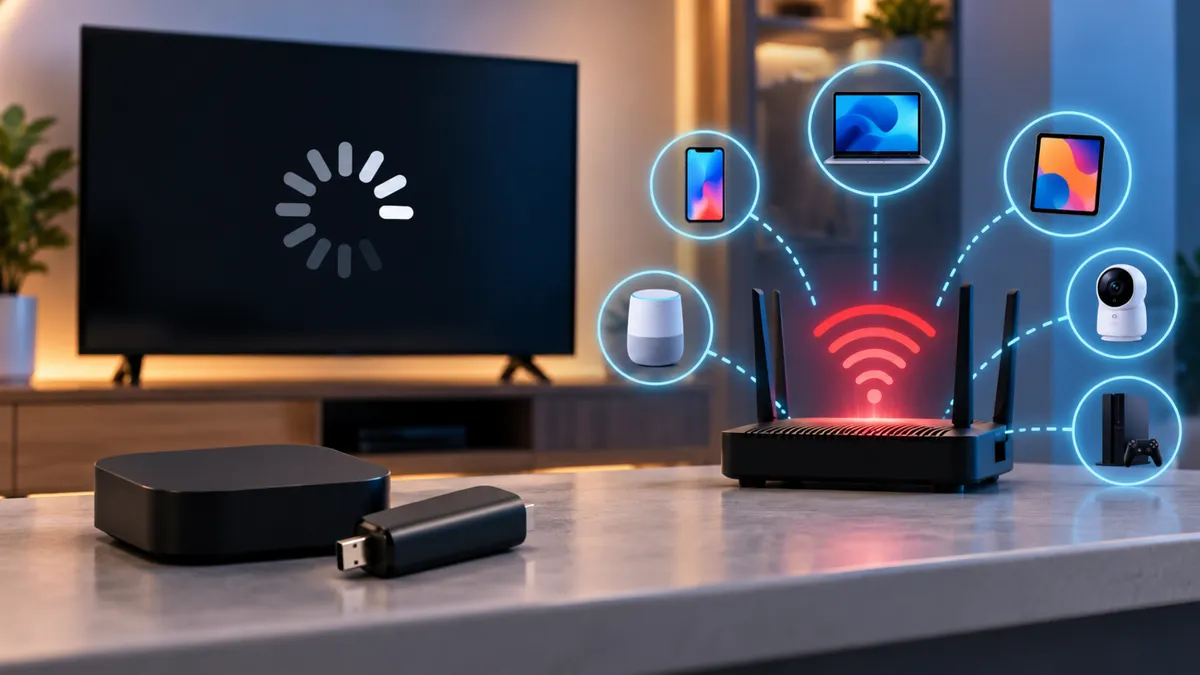
A customer walks into your wireless store looking for a new streaming device.
They explain that their television keeps buffering whenever they watch movies or live sports.
They think buying a new streaming stick will solve the problem.
But what if the device is not the real issue?
Sometimes streaming problems come from weak Wi-Fi, an unstable internet connection, or too many devices using the network at once.
For wireless dealers, this creates an opportunity to have a different conversation.
Instead of focusing only on the device the customer wants to buy, you can help them understand what might be affecting their home internet experience.
Streaming Is About More Than the Device Connected to the TV
Streaming devices allow customers to watch movies, television shows, sports, and other online content.
But these devices still depend on an internet connection.
A customer might purchase a new streaming device and continue experiencing the same problems if their home network is struggling.
For example, someone may have a fast internet plan but poor Wi-Fi coverage in the room where their television is located.
Another household may have several people watching videos, playing online games, and using connected devices at the same time.
These situations can affect the streaming experience.
That is why dealers should avoid assuming that every buffering problem requires new hardware.
Understanding how the customer connects to the internet is a better starting point.
Why Customers Experience Buffering at Home
Buffering happens when a streaming device cannot receive video data quickly or consistently enough to maintain smooth playback.
Several factors can contribute to this problem.
Weak Wi-Fi Coverage
A television located far from the router may receive a weaker signal.
Walls, furniture, and other obstacles can also affect Wi-Fi performance.
Internet Connection Problems
A customer's internet service may experience slow speeds, interruptions, or other connection issues.
Multiple Connected Devices
Phones, tablets, computers, gaming consoles, and smart televisions may share the same home network.
When several devices are using large amounts of bandwidth, performance can be affected.
Older Networking Equipment
An outdated or poorly configured router may struggle to support the customer's needs.
Streaming Device or Application Issues
Sometimes the problem comes from the streaming device, application, or streaming provider rather than the home internet service.
These possibilities show why asking questions matters before recommending a new product.
A Faster Internet Plan Does Not Always Fix Buffering
Imagine a customer tells your employee:
“I already have fast internet, but my TV keeps buffering.”
The employee might immediately recommend a more expensive internet plan.
But that may not solve the problem.
What if the customer's router is located downstairs while the television is upstairs?
What if the Wi-Fi signal is weak in that room?
What if only one streaming application is having problems?
A faster plan cannot automatically fix poor Wi-Fi coverage or a malfunctioning device.
Before recommending a change, help the customer understand where the problem may be coming from.
Sometimes the right next step is contacting their existing internet provider.
Other times, the customer may benefit from reviewing available home internet options.
The important thing is not to promise a solution before understanding the issue.
How Much Internet Speed Does Streaming Need?
Different streaming activities can require different connection speeds.
For example, Netflix recommends a stable connection of at least:
3 Mbps for 720p HD streaming.
5 Mbps for 1080p Full HD streaming.
15 Mbps for 4K Ultra HD streaming.
These are Netflix's recommendations for streaming at those resolutions, not guarantees that every household will have a smooth experience at those speeds.
A household with several people streaming simultaneously may need more total bandwidth.
Customers should also consider other internet activities such as video meetings, gaming, downloads, and connected home devices.
For wireless dealers, the lesson is simple.
Do not recommend an internet plan based only on one device.
Ask how the entire household uses the connection.
Five Questions to Ask Customers About Their Home Internet
When a customer mentions buffering or slow streaming, start with a few questions.
1. What internet service are you currently using?
This helps you understand their existing setup.
2. Does the problem happen on every device or only the television?
If other devices work normally, the issue may be specific to the television, streaming device, or application.
3. Where is your router located?
Distance and obstacles may affect the Wi-Fi signal.
4. How many people use the internet at the same time?
A household with several connected devices may have different requirements from someone living alone.
5. Does the problem happen all day or only at certain times?
This can help identify patterns worth discussing with the customer's internet provider.
These questions are not a complete technical diagnosis.
They are a simple way to understand the customer's situation before making a recommendation.
Help Customers Understand Wi-Fi Coverage
Many customers think their internet plan and Wi-Fi connection are the same thing.
But they serve different purposes.
The internet service connects the home to the internet.
The Wi-Fi network distributes that connection wirelessly to devices inside the home.
A customer can have a suitable internet plan and still experience weak Wi-Fi in certain rooms.
For example, a router placed in one corner of a large house may struggle to reach a television on the opposite side.
In some situations, changing router placement or addressing interference may help.
Other homes may benefit from compatible Wi-Fi equipment designed to improve coverage.
However, additional equipment should only be recommended when it addresses the actual problem.
A new router or mesh system will not automatically fix an outage or an inadequate internet connection.
Dealers should explain these differences in simple language.
One Streaming Question Can Reveal a Bigger Customer Need
Imagine a customer visits your store because their television keeps buffering.
During the conversation, you learn that the household has several connected devices.
The customer works from home, their children stream videos, and multiple family members use the internet throughout the evening.
They are also considering changing their current internet provider.
Now the conversation is no longer only about a streaming device.
The customer may want to compare home internet services.
If your store participates in an eligible home internet program, this could become an opportunity to explain available options.
Before recommending anything, check service availability at the customer's address.
Then review the plan's speed, equipment requirements, data policies, pricing, and other applicable terms.
The goal is to find out whether the available service actually fits the household.
Home Internet Can Create Opportunities Beyond Phone Activations
Many wireless stores focus heavily on prepaid phone activations.
But customers also depend on connectivity at home.
They use the internet for work, school, entertainment, communication, and everyday tasks.
When a customer mentions slow internet, unreliable service, or difficulty connecting devices, that may be a reason to discuss their home internet needs.
Depending on the programs available to your store, opportunities may include eligible home internet activations, compatible equipment, or related support services.
These opportunities should never be presented as guaranteed revenue.
They depend on the services your store is authorized to offer and whether those services meet the customer's needs.
The important thing is recognizing that wireless conversations do not always end with a phone plan.
Explain Home Internet Without Overpromising
Customers want to know whether a service will work for them.
They may ask:
“Will this stop my TV from buffering?”
“Can everyone in my house connect?”
“Will it work in my neighborhood?”
“Can I use it for gaming and streaming?”
Employees should answer these questions carefully.
Instead of promising perfect performance, explain that actual results depend on coverage, network conditions, equipment, and household usage.
For example, an employee could say:
“Let's first check which internet options are available at your address. Then we can compare the plan details and see whether one fits how your household uses the internet.”
This approach helps customers make informed decisions without creating unrealistic expectations.
Do Not Make These Mistakes When Discussing Streaming Problems
Wireless dealers should avoid a few common mistakes.
Assuming the streaming device is defective
Buffering can have several causes. A replacement device may not solve the issue.
Recommending faster internet without asking questions
A more expensive plan is not always the right solution.
Ignoring Wi-Fi coverage
A strong internet connection does not guarantee good Wi-Fi in every room.
Promising that a new service will eliminate buffering
Performance can vary based on the network, location, equipment, and other conditions.
Offering home internet without checking eligibility
Some services are only available at qualifying addresses and may have specific requirements.
Understanding these limitations helps your team make clearer recommendations.
Train Your Team to Recognize Home Internet Opportunities
You do not need to turn every employee into an internet technician.
Start by teaching your team to recognize common customer questions.
1. Listen for streaming complaints.
Customers mentioning buffering, weak Wi-Fi, or slow internet may need help understanding their options.
2. Ask about the household.
Find out how many people and devices use the connection.
3. Understand available home internet programs.
Know which services your store is eligible to offer and what requirements apply.
4. Check availability before discussing specific offers.
Do not assume a service is available at every address.
5. Explain the difference between internet speed and Wi-Fi coverage.
This helps customers understand why changing plans may not always solve the problem.
6. Recommend only what fits.
If your store cannot address the problem, guide the customer toward the appropriate provider or technical support.
These habits can help employees recognize opportunities while keeping the customer experience helpful.
The Next Internet Opportunity May Start With a Simple Question
A customer complaining about buffering may not be shopping for home internet.
They may only want to know why their television is not working properly.
But a few useful questions can reveal what is happening in their household.
Maybe their Wi-Fi coverage needs attention.
Maybe their current internet service is not meeting their needs.
Or maybe the problem is limited to one device.
The goal is not to turn every streaming complaint into a sale.
It is to understand the problem and help the customer explore the right next step.
For wireless dealers, that kind of conversation can build trust and reveal opportunities beyond traditional phone activations.
Explore More Connectivity Opportunities With UPD
Independent wireless dealers can grow by understanding more of the connectivity needs customers bring into their stores.
At Unlimited Prepay Distribution (UPD), we're focused on helping dealers explore wireless products, available service opportunities, and support for their businesses.
Whether your customers are looking for phone service, compatible devices, or additional connectivity options, knowing what is available can help you serve them more effectively.
Want to explore more opportunities for your wireless store? Connect with Unlimited Prepay Distribution and learn how UPD can support your dealer business.


