
Refresh Rate Explained: How Wireless Dealers Can Explain 60Hz, 90Hz, and 120Hz
Refresh Rate Explained: How Wireless Dealers Can Explain 60Hz, 90Hz, and 120Hz
Customers often notice the screen before they notice anything else about a phone.
One device feels smooth when they scroll. Another feels slower, even when both phones can handle the same basic tasks.
That difference may come from the screen’s refresh rate.
Understanding refresh rate helps wireless dealers explain phone displays clearly, recommend the right device, and prevent customers from becoming disappointed with battery life after an upgrade.
The goal is not to push every customer toward the highest number.
The goal is to help them choose the screen experience that fits how they actually use their phone.
What Does Refresh Rate Mean?
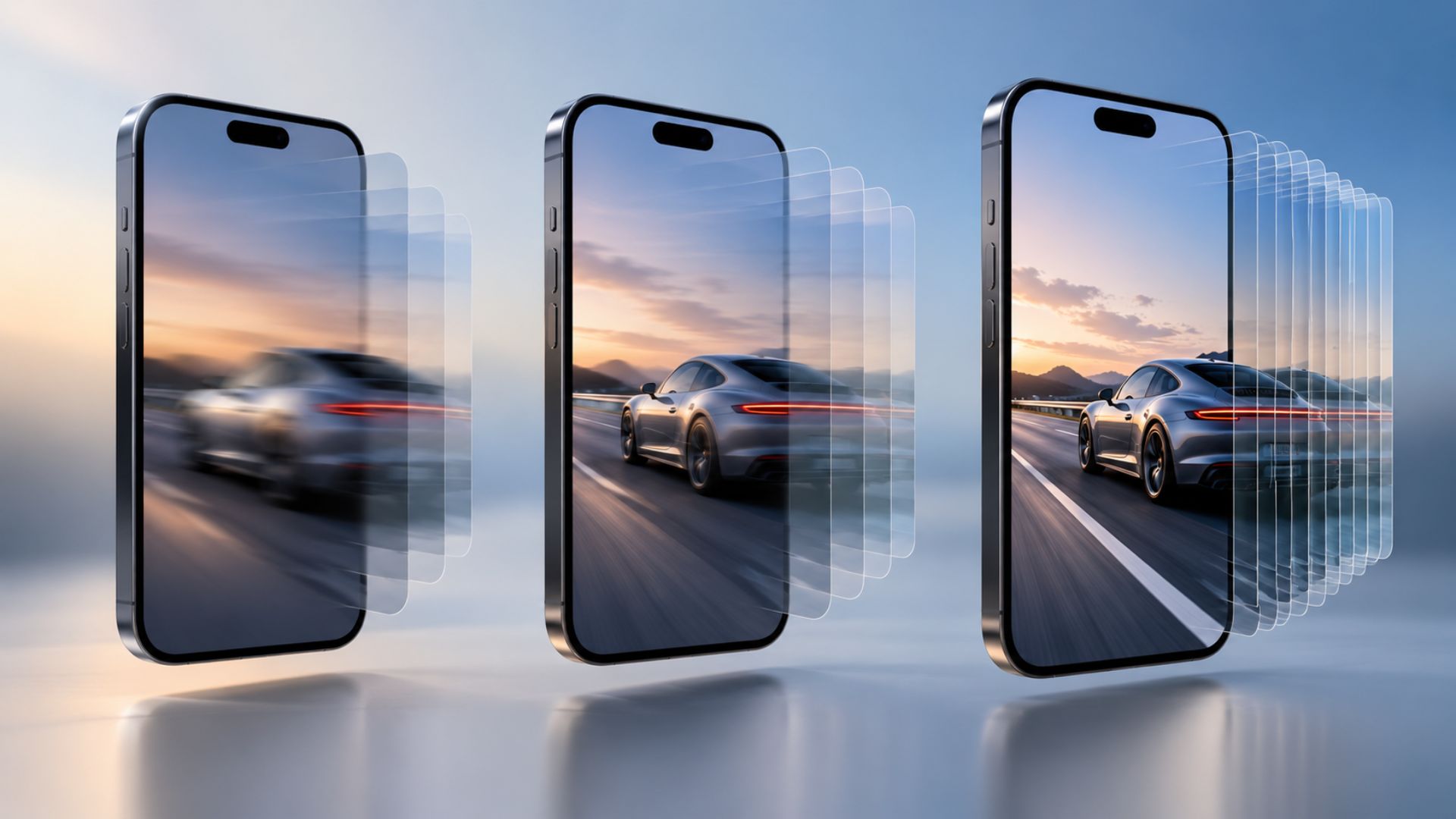
Refresh rate tells you how many times the phone’s screen updates every second.
It is measured in hertz, or Hz.
A phone with a 60Hz display updates the screen 60 times every second. A 120Hz display updates it 120 times every second.
The higher the refresh rate, the smoother movement and scrolling may feel.
A simple way to explain it is:
“A higher refresh rate makes scrolling feel smoother, but it may use more battery.”
That is usually enough for most customers to understand the difference.
What Does 60Hz Feel Like?
A 60Hz screen is the standard option on many budget and older smartphones.
For everyday activities, it still works well.
It is often a good choice for customers who mainly use their phones for:
Calls and text messages
Email
Light social media use
Watching videos
Basic web browsing
The main advantage of 60Hz is battery efficiency.
Because the display refreshes fewer times each second, it usually requires less power than a screen running at a higher rate.
For customers who care more about battery life than extra-smooth scrolling, 60Hz may be the better choice.
Why Many Customers Like 90Hz
A 90Hz display sits between standard and premium refresh rates.
For many users, it offers a noticeable improvement without using as much power as 120Hz.
Customers may notice:
Smoother scrolling
Cleaner animations
Faster-feeling menu movement
A more responsive screen experience
For many everyday customers, 90Hz offers a good balance between smoothness and battery performance.
It may be the right recommendation for someone who wants an upgraded display but does not need the most advanced option.
What Makes 120Hz Different?
A 120Hz screen offers the smoothest experience of the three.
Customers may notice the difference most when:
Scrolling quickly through social media
Moving between apps
Playing supported games
Browsing long webpages
Using fast screen animations
It can make a phone feel more premium and responsive.
However, not every customer will notice enough of a difference to justify paying more for it.
Dealers should let customers test the phones side by side when possible.
A customer who cannot see or feel the difference may be happier with a lower-cost device or one that offers stronger battery life.
Why Higher Refresh Rates Can Affect Battery Life
A higher refresh rate makes the display work more often.
That can increase battery use, especially when combined with:
High screen brightness
Long gaming sessions
Heavy social media use
Video streaming
Constant scrolling
This does not mean every 120Hz phone will have poor battery life.
Battery performance also depends on the battery size, processor, display technology, software, and how the customer uses the phone.
Still, customers should understand that smoother screen movement may require more power.
Setting that expectation before the sale can help prevent complaints later.
What Is Adaptive Refresh Rate?
Many newer phones use adaptive refresh rate technology.
This means the phone can automatically raise or lower the refresh rate depending on what the customer is doing.
For example, the screen may use a lower refresh rate while the customer is reading a page or looking at a photo.
It may increase the refresh rate during scrolling, gaming, or animations.
A dealer can explain it like this:
“The phone adjusts the screen automatically, so you get smooth scrolling when you need it without using maximum power all day.”
Adaptive refresh gives many customers a better balance between performance and battery life.
Questions Dealers Should Ask Before Recommending a Phone
Instead of immediately recommending the highest refresh rate, ask how the customer uses their device.
Helpful questions include:
Do you care more about smoothness or battery life?
Do you scroll through social media often?
Do you play fast-moving mobile games?
Do you spend most of the day away from a charger?
Did you notice a difference when comparing these two screens?
These questions make the recommendation feel more personal.
They also help the dealer explain why one phone may fit the customer better than another.
A Simple Dealer Script
Dealers can use this explanation during the sales conversation:
“A 60Hz screen gives you solid everyday performance and can help save battery. A 90Hz screen feels smoother for scrolling. A 120Hz screen gives you the smoothest experience, especially for gaming and heavy phone use. The best option depends on whether you care more about smoothness or longer battery life.”
This keeps the explanation clear without overwhelming the customer with technical details.
How to Handle Battery Complaints After an Upgrade
A customer may return after buying a new phone and say the battery does not last as long as expected.
The refresh rate may be part of the problem, but dealers should check several things.
Check the refresh-rate setting
Switch the phone from 120Hz to adaptive mode or 60Hz and compare the battery performance.
Check the brightness
High screen brightness can use a large amount of battery, especially outdoors.
Review background apps
New phones may restore apps that continue running in the background.
Allow time after setup
Software updates, app downloads, photo syncing, and system setup can temporarily increase battery use during the first few days.
Helping the customer adjust these settings can solve the issue without making them feel like they chose the wrong phone.
Accessories Can Improve the Overall Sale
A premium display creates additional opportunities to help the customer protect and support their device.
Dealers can recommend useful accessories such as:
Screen protectors
Protective cases
Fast chargers
Car chargers
Power banks
The recommendation should connect to the customer’s real needs.
For example, a customer who chooses 120Hz because they use their phone heavily may also benefit from a power bank or fast charger.
That feels helpful instead of forced.
The Best Recommendation Is Not Always the Highest Number
A higher refresh rate does not automatically make a phone the best choice for every customer.
A traveler may prefer longer battery life.
A gamer may care more about 120Hz.
A budget-conscious customer may be completely satisfied with 60Hz.
A regular social media user may find 90Hz to be the right balance.
Dealers build trust when they explain these tradeoffs honestly.
That trust can lead to better customer satisfaction, fewer returns, and more repeat business.
Help Customers Choose With Confidence
Customers do not need a long technical lesson.
They need a simple explanation that helps them understand what they will actually notice.
The main difference is clear:
60Hz: reliable everyday use and better battery efficiency
90Hz: smoother scrolling with a balanced experience
120Hz: premium smoothness for heavy scrolling and supported gaming
When dealers explain this clearly, customers can choose with more confidence.
Grow With UPD
Unlimited Prepay Distribution helps wireless dealers strengthen their product knowledge, improve customer conversations, and build better retail experiences.
The more clearly dealers explain devices and features, the easier it becomes to earn customer trust and recommend the right solution.
Connect with UPD and build your wireless business with a partner that supports dealers beyond the activation.


