
How To Prevent Failed Activations by Checking Phones Before Selling Service
The Customer Is Ready to Activate. Is it the Phone?
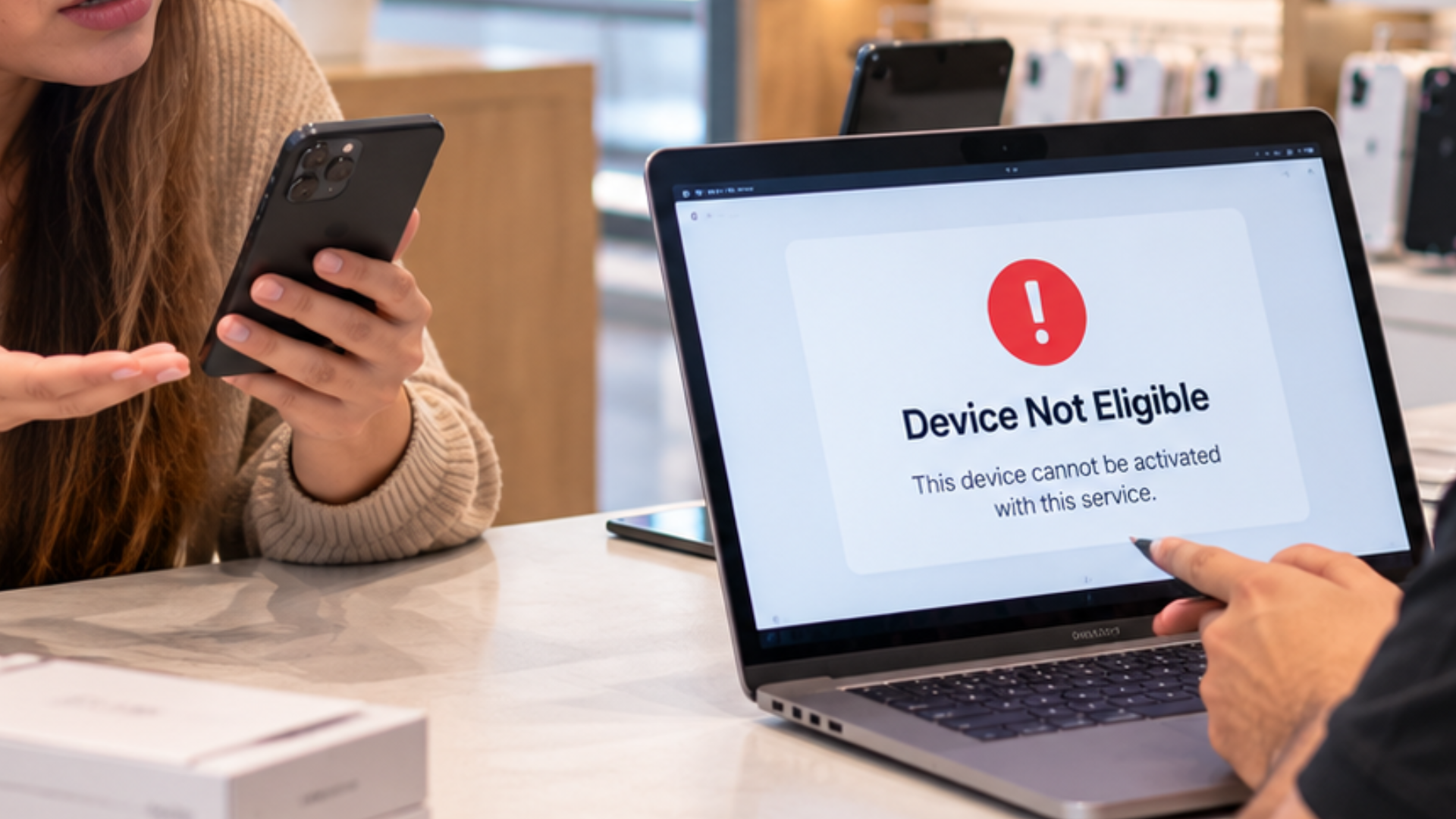
A customer walks into your wireless store holding a phone they purchased online.
They want to switch to a prepaid plan.
Your employee explains the available options.
The customer chooses a plan, agrees to the price, and is ready to activate.
Everything looks good.
Then the employee enters the device information.
The activation system reports that the phone is not eligible.
Now the customer is frustrated.
They thought the phone was unlocked.
Your employee has already spent time explaining the plan.
And the transaction may not be able to move forward.
For independent wireless dealers, this situation highlights an important lesson.
Before selling the service, make sure the device is ready for it.
A simple checking process can help employees recognize problems before they become customer complaints.
A Phone That Works Is Not Always a Phone That Can Be Activated
Customers often assume that if a phone turns on, connects to Wi-Fi, and makes calls with its current provider, it should work with any other wireless service.
That is not necessarily true.
A device may have a carrier restriction.
It may not support the network requirements of the intended provider.
Its IMEI may be subject to an eligibility restriction.
Or the phone may not support the required SIM or eSIM activation method.
These problems are not always visible.
A phone can look perfectly normal while still being unsuitable for a particular service.
That is why employees should avoid making activation promises based only on the phone's appearance or the customer's description.
Make Device Checking Part of the First Conversation
Imagine a customer tells your employee:
“I already have a phone. I just need a new SIM card.”
The employee should not immediately assume that the transaction is simple.
Start by identifying the phone.
Ask which provider the customer currently uses.
Find out whether the phone was purchased unlocked or through a carrier.
Then explain that the store needs to verify eligibility before completing the activation.
For example:
“Before we set up your service, let me check whether your phone is eligible for this network.”
This is a straightforward explanation.
It helps the customer understand why the employee is asking questions.
And it sets the expectation that compatibility must be confirmed.
Identify the Exact Phone Model
Two phones may look almost identical but have different network capabilities.
The same product family may also include regional or carrier-specific versions.
For example, a customer might say they own a particular smartphone model.
But the exact model number may be important when checking compatibility.
Employees should use the manufacturer's supported device-information screens or other authorized methods to identify the device.
Do not rely only on the name printed on a box or shown in an online listing.
If the device was purchased secondhand, the packaging may not even belong to that phone.
Accurate model identification helps employees avoid recommending service based on incomplete information.
The IMEI Is an Important Part of the Check
An IMEI is a unique identifier associated with a mobile device's cellular equipment.
Wireless providers may use it to help determine whether the device is eligible for activation.
Employees can often find the IMEI in the device settings or through manufacturer-supported instructions.
Some phones have more than one IMEI because they support multiple cellular configurations.
Use the identifier required by the provider's activation process.
Then run the appropriate official eligibility check.
Do not rely only on unofficial websites or a customer's statement that the IMEI is clean.
And remember that an eligibility result is specific to the provider and check being performed.
It does not necessarily guarantee that every aspect of activation will succeed.
Carrier Locks Can Stop a Switch Before It Starts
A customer may have used a phone with the same provider for several years.
They decide to switch to another service.
But when they try to activate the new line, the device reports a carrier restriction.
A carrier-locked phone may be limited to certain providers until it becomes eligible for unlocking.
That restriction is different from the phone's physical condition.
The screen can work.
The battery can be healthy.
The device can connect to Wi-Fi.
But the carrier lock may still prevent use with the intended service.
Employees should check the lock status where supported and follow the appropriate provider process.
Do not promise that inserting another SIM will remove the restriction.
A Paid-Off Device May Still Need an Authorized Unlock
Imagine a customer says:
“I already finished paying for this phone. It should be unlocked.”
That may be a reasonable expectation, but employees should still verify the status.
Unlocking requirements vary by provider, device, program, and applicable rules.
Some devices may unlock automatically when eligible.
Others may require an authorized request.
There may also be account or device conditions that need to be reviewed.
Your employee can help the customer find the original provider's current unlocking instructions.
But the store should not guarantee an immediate result.
The appropriate provider or authorized process must confirm the device's eligibility.
Do Not Confuse Carrier Locks With Screen Passcodes
Sometimes a customer visits a store asking for help unlocking a phone.
The employee assumes they mean a carrier lock.
But the customer is actually unable to open the device because they forgot the screen passcode.
These are different problems.
A screen passcode protects access to the phone and its information.
A carrier lock restricts use with certain wireless networks.
Removing a carrier lock does not remove the screen passcode.
Resetting a phone also does not necessarily remove its carrier restriction.
There may be additional account-ownership protections that remain active after a reset.
Employees should clarify which problem the customer is experiencing before suggesting a solution.
An Activation Lock Is Another Issue Entirely
A used phone may have a previous owner's account protections enabled.
For example, certain devices use account-based activation protections designed to discourage unauthorized use after loss or theft.
A phone with an unresolved activation lock may require the legitimate account holder to complete an authorized removal process.
This is not the same as a carrier lock.
A phone can be carrier-unlocked and still have an activation-lock problem.
Dealers purchasing used inventory should pay attention to these protections.
Do not assume that resetting the device makes it ready for resale.
And do not offer unauthorized methods to bypass ownership protections.
Lost-or-Stolen Restrictions Require Separate Attention
Imagine your store is evaluating a used phone for trade-in.
The device appears to be in good condition.
But an authorized check reports a restriction associated with a lost-or-stolen device.
That is a serious concern.
Lost-or-stolen reporting systems may affect whether a phone can be used on participating networks.
The scope of restrictions depends on the relevant databases and providers.
Employees should not assume that a normal carrier unlock will resolve the problem.
If the customer believes the report is incorrect, direct them to the appropriate original provider or authorized resolution process.
Do not accept a restricted device into inventory without following your store's approved procedures.
An Unlocked Phone May Still Fail the Compatibility Check
A customer might bring an unlocked phone originally purchased overseas.
They want to use it with a U.S. prepaid carrier.
The phone accepts the new SIM.
But the device may not support all the network technologies or frequency bands required for reliable service.
It may also fail the provider's activation eligibility requirements.
That is why the word unlocked should not end the conversation.
Employees should check the exact model and IMEI against the intended provider's requirements.
A phone may be unlocked but still unsuitable for the service the customer wants.
Signal Bars Do Not Guarantee Full Service
Sometimes a phone displays cellular signals but cannot complete calls.
In other situations, mobile data may not work correctly.
Customers may assume the SIM card is defective.
But there are several possible explanations.
The device may have an activation or provisioning issue.
It may lack support for required voice technologies.
The network may be experiencing a temporary problem.
Or the phone may not be fully compatible with the provider.
Employees should follow authorized troubleshooting steps rather than guessing.
If the provider's eligibility tool rejects the device, explain the result before attempting additional transactions.
eSIM Requires Its Own Compatibility Check
Some customers want to activate service using eSIM instead of a physical SIM card.
An eSIM is a digital SIM profile supported by compatible devices and providers.
But eSIM capability alone does not guarantee that a phone can be activated on every network.
The device may have a carrier lock.
The provider may not support that particular model.
The phone may have regional differences.
Or the service may have additional eligibility requirements.
Before promising an eSIM activation, verify the exact device and intended provider.
Follow the approved activation process.
Do not assume that a device is unlocked simply because it has no physical SIM tray.
Used Phones Deserve Extra Attention
Secondhand devices can be attractive to customers because they may cost less than new phones.
But they can also create uncertainty.
A customer may buy a phone from an online marketplace without knowing its full history.
The device might still be carrier-locked.
It may have an unresolved ownership protection.
It could be subject to a reported restriction.
Or it may not support the customer's preferred network.
Wireless dealers should encourage customers to check eligibility before purchasing used devices whenever possible.
If the phone has already been purchased, help the customer understand what can be verified and what cannot.
Avoid promising that every used phone can be activated.
Check Trade-In Devices Before Quoting a Final Value
Imagine a customer wants to trade in an older smartphone toward a replacement.
The employee inspects the screen and body.
The phone looks clean.
They immediately promise a trade-in value.
Later, the store discovers that the device has a restriction that affects its eligibility.
Now the transaction becomes complicated.
A better process includes checking the device's condition and relevant eligibility requirements before finalizing the offer.
Confirm the exact model.
Review the IMEI using approved tools.
Check for applicable account-ownership protections.
Follow the trade-in program's requirements.
Also explain that a preliminary estimate may change after a complete inspection.
Do not promise a final trade-in value before completing the required checks.
Device Financing Can Affect the Conversation
A customer may have purchased a phone through a financing arrangement.
They now want to switch carriers or sell the device.
The employee should avoid assuming that the phone's payment status automatically determines its lock status.
Financing obligations and carrier unlocking rules are related in some programs but are not identical across every provider.
A device may also have restrictions or contractual obligations that require separate attention.
Employees should direct customers to the appropriate provider for accurate account-specific information.
Do not promise that paying a balance will immediately remove every restriction.
And do not provide legal conclusions about the customer's financing agreement.
Explain the Problem Before Offering Another Phone
When a device fails an eligibility check, the employee may see an opportunity to sell a replacement phone.
That can be appropriate in some situations.
But the customer deserves an explanation first.
For example:
“This device isn't showing as eligible for the service you selected. We can review the available information and see whether there is an authorized way to resolve it.”
If the restriction cannot be resolved, the employee can discuss compatible device options.
Start with the customer's budget and needs.
Do they want to keep the same screen size?
Do they need a better camera?
Would a basic smartphone be sufficient?
The goal is to help the customer find a suitable solution, not pressure them into an unnecessary upgrade.
Confirm the Replacement Device Before Selling It
If a customer decides to purchase another phone, the store should verify that the replacement is suitable for the intended service.
Do not assume every unlocked device in inventory works with every carrier.
Check the exact model.
Confirm the relevant activation eligibility requirements.
Review SIM or eSIM support.
Explain any applicable restrictions.
If the phone is being sold through a particular carrier program, make sure the customer understands the conditions.
A replacement recommendation should solve the original problem rather than create another activation issue.
Keep a Simple Device-Checking Procedure at the Counter
Employees should not have to invent a new process every time a customer brings in a phone.
A written procedure can help create consistency.
For example, the store can use the following sequence:
Identify the device. Confirm the manufacturer, exact model, and relevant IMEI.
Ask about its history. Find out where the customer purchased it and which provider they currently use.
Review carrier-lock status. Use supported device information and authorized provider guidance.
Check activation eligibility. Run the official compatibility process for the intended service.
Review other restrictions. Address any reported ownership, lost-or-stolen, or account-related issues through approved procedures.
Confirm the activation method. Check physical SIM or eSIM support.
Explain the result. Tell the customer what is confirmed and what remains unresolved.
Proceed only when appropriate. Follow the authorized activation process and applicable payment terms.
A consistent workflow can help reduce avoidable mistakes.
Give New Employees a Real Practice Scenario
Store managers can use a simple training exercise.
One employee plays a customer.
The other acts as the salesperson.
The customer says:
“I bought this phone online. The seller told me it works with every carrier.”
The salesperson must explain that the store needs to verify eligibility.
Then the manager introduces a problem.
The phone fails the provider's official check.
The employee should explain the result without blaming the customer or making unsupported promises.
For example:
“This phone isn't currently eligible for this service based on the check we completed. Let's review the information and see what options are available.”
This exercise helps employees practice difficult conversations before they happen with real customers.
Do Not Collect Payment Before Explaining Known Problems
Imagine a customer purchases service before the store discovers that the device cannot be activated.
The customer may expect an immediate refund.
But the applicable service and transaction terms may be more complicated.
That can create frustration for everyone.
Employees should complete available eligibility checks before collecting payment whenever possible.
They should also explain activation requirements and applicable refund terms.
If an issue remains unresolved, make sure the customer understands it before proceeding.
Accurate expectations can help prevent disputes.
Record the Check Without Collecting Unnecessary Personal Information
A store may want to document the result of a device eligibility check.
That can be useful for troubleshooting or reviewing a transaction.
But employees should handle customer information carefully.
Do not store more information than the business needs.
Avoid posting IMEI numbers publicly.
Use authorized systems for activation and customer records.
Follow applicable privacy and retention requirements.
If a customer does not proceed with the transaction, review whether the store has a legitimate reason to retain any collected information.
Good documentation should support operations without creating unnecessary privacy risks.
Review Failed Activations to Find Training Gaps
Even with a checking process, some activations may fail.
Store owners should look for patterns.
Are employees repeatedly selecting the wrong device model?
Are eSIM activations causing confusion?
Are certain used phones frequently rejected?
Do employees misunderstand carrier unlocking requirements?
These patterns may reveal areas where training needs improvement.
Keep a record of operational issues without unnecessarily collecting sensitive customer data.
Then use the findings to update the store's procedures.
A failed activation should not automatically become an employee-blame exercise.
It can also be an opportunity to improve the process.
Better Device Checks Can Protect More Than One Sale
A failed activation can affect customer trust.
The customer may have spent time choosing a plan.
They may have started transferring their phone number.
They may have paid for a product or service.
And they may now need to contact another provider to resolve the problem.
When employees verify eligibility early, they can identify some of these issues before the transaction reaches that stage.
Not every problem can be prevented.
But a careful process can reduce avoidable confusion.
It also gives employees a more professional way to explain why a device may not work.
Make Accuracy Part of Your Store's Sales Culture
Wireless stores often measure performance through activations, device sales, and other transactions.
Those numbers matter.
But speed should not come at the expense of accuracy.
A rushed activation that fails may consume more time than a proper check would have taken.
A used phone purchased without inspection may create inventory problems.
A promise about unlocking may damage trust when the store cannot deliver.
Managers should encourage employees to ask questions, verify information, and explain uncertainty.
A reliable sales process supports both customer service and business operations.
The Best Time to Find a Phone Problem Is Before the Sale
Customers come to wireless stores because they want their devices and services to work.
They may not understand carrier locks, IMEI restrictions, or network compatibility.
That is where knowledgeable employees can help.
Identify the phone.
Check the relevant information.
Use authorized eligibility tools.
Explain restrictions clearly.
And avoid promises that depend on another provider's decision.
A few careful checks can make the difference between a smooth activation and a frustrating customer experience.
For independent wireless dealers, building that habit is a practical way to improve daily operations.
Explore More Wireless Business Opportunities With UPD
Independent wireless dealers need access to suitable devices, available service programs, and accurate information to help customers make informed decisions.
At Unlimited Prepay Distribution (UPD), we're focused on helping dealers explore wireless opportunities, understand available programs, and strengthen their businesses.
Whether you're helping customers bring their own phones, reviewing used-device inventory, or recommending compatible replacements, make sure your team follows the current requirements of the services it offers.
Want to explore more opportunities for your wireless store? Connect with Unlimited Prepay Distribution and learn how UPD can support your dealer business.


