
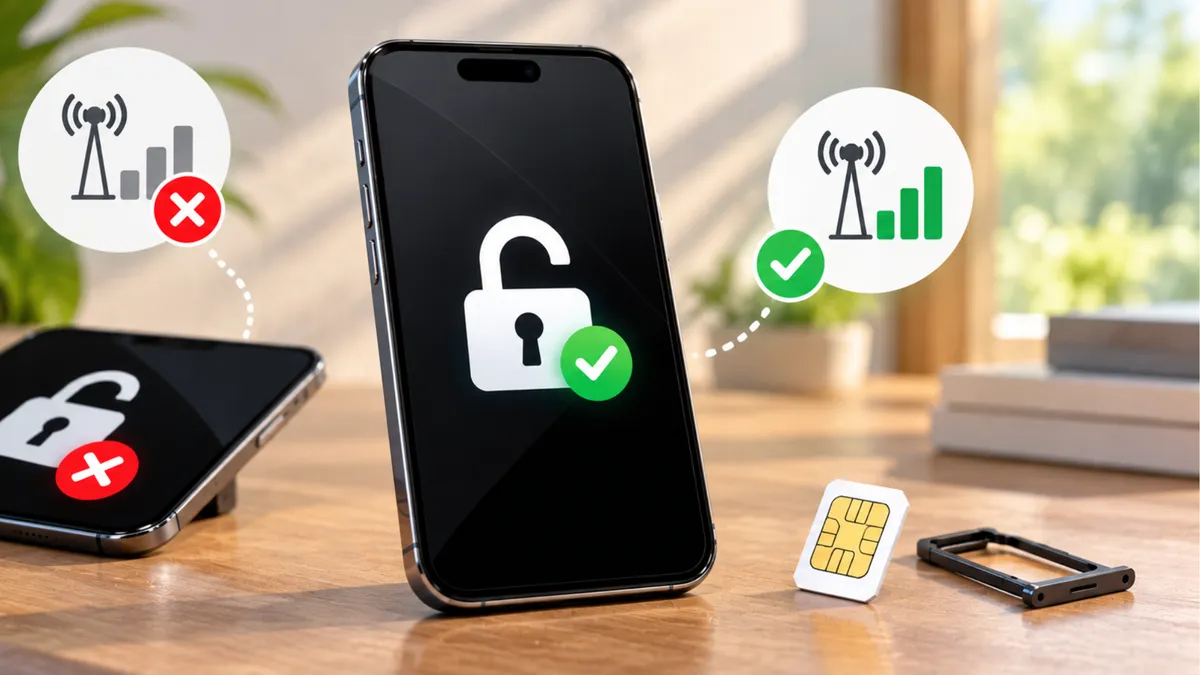
How To Check if a Phone Is Unlocked and Ready for Activation
How To Check if a Phone Is Unlocked and Ready for Activation
A customer walks into your wireless store holding a phone they purchased online.
They want to activate prepaid service.
Your employee asks whether the phone is unlocked.
The customer replies, “Yes. The seller told me it works with any carrier.”
Everything sounds simple.
But when your employee tries to activate the device, the system says it is not eligible.
Now the customer is confused.
They thought an unlocked phone would work anywhere.
This situation is familiar to many independent wireless dealers.
The problem is that being unlocked and being compatible are not the same thing.
Before selling a plan or promising an activation, your team needs to understand what to check and how to explain the results.
An Unlocked Phone Is Not Automatically Ready for Activation
Customers often use the word unlocked to mean that a phone can be used with any wireless provider.
But an unlocked device is not guaranteed to work on every network.
There are several reasons.
The phone may not support the network technologies or frequency bands needed for reliable service.
The device may not meet the provider's activation requirements.
Its IMEI may be subject to restrictions.
Or the phone may have a problem unrelated to its carrier-lock status.
For example, a customer might purchase an unlocked phone originally sold for use in another country.
The phone could accept a new SIM but lack support for important network bands used by the customer's chosen provider.
In that situation, removing a carrier lock would not solve the compatibility problem.
Dealers should always verify the device against the specific service being offered.
What Does It Mean When a Phone Is Carrier-Locked?
A carrier-locked phone has a restriction that limits which wireless networks or providers it can use.
The restriction is associated with the device's carrier-lock configuration.
For example, a phone originally sold through one wireless provider may be restricted to that provider until it becomes eligible for unlocking.
If the customer inserts a SIM from an unsupported provider, the phone may display a message indicating that the SIM is not supported.
The exact message depends on the device.
A carrier lock does not necessarily mean the phone is damaged.
It means the device has a network-use restriction.
Whether the restriction can be removed depends on the relevant provider's policy and the device's eligibility.
Employees should avoid promising an unlock before those requirements are confirmed.
A Screen Lock and a Carrier Lock Are Different Problems
Imagine a customer brings a phone into your store and says:
“I need this phone unlocked.”
Your employee should first ask what the customer means.
Are they unable to open the phone because they forgot the passcode?
Or can they use the phone normally, but it will not accept service from another provider?
These are different situations.
A screen lock protects access to the device and its information.
A carrier lock restricts which wireless networks or providers the device can use.
Removing a carrier restriction does not remove a forgotten screen passcode.
Likewise, resetting a phone does not necessarily remove its carrier lock.
There may also be separate activation-lock or account-ownership protections.
Employees should identify the actual problem before recommending a solution.
Check the Device Before You Sell the Plan
One of the most important habits for wireless dealers is checking device eligibility before completing a bring-your-own-device activation.
Imagine a customer wants to transfer their existing number to a new prepaid provider.
Your employee quotes a plan and collects payment.
Only afterward do they discover that the phone cannot be activated.
Now the store must explain the problem and determine what options remain under the provider's rules.
A better process starts before the transaction.
Ask the customer for permission to check the device.
Identify the exact model.
Confirm its IMEI through the authorized method.
Use the provider's official compatibility or activation eligibility tool.
Then explain the result.
If the device is not eligible, do not promise that the issue can be fixed simply by changing a setting.
Why the IMEI Matters
An IMEI is a device identifier used by mobile networks and related systems.
Wireless providers may use the IMEI to help determine whether a device is eligible for activation.
It can also help identify the device model and certain restrictions.
For many phones, the IMEI can be found in the device settings or by using the manufacturer's supported instructions.
Some devices have more than one IMEI, especially when they support multiple SIM configurations.
Employees should use the identifier required by the provider's activation process.
The IMEI should be handled as customer device information.
Avoid posting it publicly or storing it unnecessarily.
When checking eligibility, use authorized carrier or provider tools rather than relying only on unofficial websites.
An IMEI result may identify a problem that cannot be solved at the retail counter.
What if the Phone Was Reported Lost or Stolen?
A customer may bring in a used phone that looks perfectly normal.
The screen works.
The battery charges.
The device turns on without problems.
But an activation check reveals a restriction associated with a lost-or-stolen report.
This is different from a carrier lock.
A device reported lost or stolen may be blocked by participating networks or affected by other eligibility restrictions.
The exact scope depends on the reporting and blocking systems involved.
Employees should not promise that a normal carrier unlock will remove this type of restriction.
If a customer believes the report is incorrect, direct them to the original provider or appropriate authorized support process.
Avoid offering unauthorized methods to bypass device restrictions.
Buying a Used Phone Comes With Additional Questions
Many customers purchase secondhand phones because they want to save money.
That can be a reasonable choice.
But used devices may have restrictions that are not obvious from their appearance.
For example, a phone may be associated with an unpaid financing agreement.
It may still be carrier-locked.
It may have an activation-lock issue.
Or it may fail the intended provider's compatibility requirements.
A customer who buys a phone from a private seller may not discover these issues until they visit your store.
Dealers should encourage customers to check device eligibility before purchasing whenever possible.
If the phone has already been purchased, explain what can be verified and what remains uncertain.
Do not guarantee that every used phone can be activated.
A Paid-Off Phone May Still Need an Unlock Request
Customers sometimes assume that paying for a phone in full automatically removes every carrier restriction.
That is not always the case.
Some providers have unlocking requirements that involve account status, device history, service duration, or other conditions.
Certain devices may be unlocked automatically when eligible.
Others may require the customer to contact the provider or complete an approved request.
The process varies.
For example, a customer may say:
“I already paid off this phone. Why is it still locked?”
Your employee can explain that the next step is to check the original provider's current unlocking policy and device status.
Do not promise that the device will unlock immediately.
The provider must confirm eligibility under the applicable rules.
Who Should the Customer Contact to Unlock the Phone?
Imagine someone purchased a phone through another carrier two years ago.
They now want to use it with a prepaid service available at your store.
The device appears to be carrier-locked.
Your employee should help the customer identify the original provider.
That provider is generally the appropriate starting point for an authorized unlocking request.
The customer may need to verify account ownership or provide device information.
If the phone was purchased secondhand, the situation may be more complicated.
Some providers limit what they can disclose or change without appropriate authorization.
Employees should explain the process without pretending the store controls the original carrier's decision.
If the phone cannot be unlocked, discuss other legitimate device options rather than promising a workaround.
eSIM Does Not Mean the Phone Is Unlocked
More phones now support eSIM technology.
Instead of inserting a removable SIM card, the customer may download or activate a digital SIM profile through an authorized process.
This can make certain activations more convenient.
But eSIM support does not automatically mean the phone is unlocked.
A device can support eSIM and still have carrier restrictions.
It can also be unlocked but incompatible with a particular provider's eSIM activation system.
For example, a customer may bring an eSIM-capable phone and assume any prepaid carrier can activate it.
Before promising service, employees should confirm that the specific device model and IMEI are eligible for that provider's eSIM program.
They should also check whether the store is authorized and equipped to complete the activation.
Why Network Compatibility Matters
Even after a phone is unlocked, it must support the network used by the customer's chosen provider.
Wireless networks use different technologies and frequency bands.
Phones are designed to support particular combinations of those technologies and bands.
For example, a phone may support 5G but lack some frequencies important to a particular network's coverage.
Another device may support mobile data but fail to meet the provider's requirements for voice calling.
Modern voice service often depends on supported Voice over LTE or other approved network capabilities.
That is why a simple statement such as “This phone has 5G” is not enough to confirm compatibility.
The safest approach is to use the provider's official device eligibility check.
The Phone Has Signal. Why Can't It Make Calls?
Imagine a customer inserts a new SIM card.
The phone shows signal bars.
Mobile data may even work.
But the customer cannot make normal voice calls.
They assume the SIM is defective.
That is one possibility, but it is not the only explanation.
The device may have a compatibility or provisioning problem.
Voice-service requirements may not be fully supported.
There could also be an activation issue or a temporary network problem.
Employees should avoid making assumptions based only on signal bars.
Check the activation status and follow the provider's troubleshooting procedures.
If the device fails an official compatibility check, explain that the phone may not be suitable for the intended service even if it appears to connect.
Different Prepaid Brands May Have Different Device Requirements
Customers sometimes assume that two prepaid brands using the same underlying network must accept exactly the same devices.
That is not necessarily true.
Mobile virtual network operators, commonly called MVNOs, provide wireless service using another operator's network infrastructure.
But device eligibility, activation systems, supported features, and policies can differ between brands.
A phone that works with one service may not automatically qualify for another.
For example, a customer may have used an unlocked phone with one prepaid provider for years.
They want to switch to a different brand that uses a similar underlying network.
Your employee should still complete the new provider's required compatibility check.
Do not assume that previous service guarantees future eligibility.
Ask Customers Where Their Phones Came From
Before starting an activation, a simple question can help your team understand the situation:
“Where did you purchase this phone?”
The customer may say they bought it directly from a manufacturer.
They may have purchased it from a carrier.
Or they may have found it through an online marketplace.
That information can help identify the next questions.
Was the phone sold as unlocked?
Was it purchased through a financing agreement?
Has it been used successfully on another network?
Is it a domestic or international model?
These details do not replace official compatibility checks.
But they can help employees recognize potential issues early.
Do Not Promise an Unlock Before Checking the Rules
A customer may ask:
“Can you unlock this phone today?”
It can be tempting to say yes, especially when the customer is ready to activate service.
But the store may not control the unlocking process.
The device may need to meet the original provider's requirements.
It may also have restrictions that are unrelated to a carrier lock.
A better response is:
“We can help you identify the current restriction and where to check the unlocking requirements. But we need confirmation before promising that it can be unlocked.”
This sets a realistic expectation.
Customers may not always like waiting for an answer.
But an accurate explanation is better than a promise the store cannot keep.
A Compatible Phone Can Save the Customer Money
Imagine a customer visits your store because they want a cheaper prepaid plan.
They already own a phone that works well.
If the device is unlocked and eligible for the intended service, they may be able to keep using it.
That could allow them to switch without purchasing another phone.
Your employee should check compatibility before recommending a replacement device.
If the phone qualifies, explain the available bring-your-own-device options.
If it does not qualify, help the customer understand why.
A new phone should be recommended because it meets a real need, not simply because the employee skipped the compatibility check.
When a Replacement Phone Is the Better Option
Sometimes a customer's existing phone cannot be used with the desired service.
The device may have unsupported network capabilities.
It may not meet activation requirements.
Or an unresolved restriction may prevent the switch.
In these cases, a compatible replacement device may be worth discussing.
Start with the customer's needs.
What is their budget?
Do they want to keep the same screen size?
Do they need more storage?
Are they comfortable with eSIM?
Do they prefer a basic phone or a smartphone?
Then review devices available through your authorized programs.
Verify compatibility before completing the sale.
This turns an activation problem into an opportunity to help the customer find a suitable solution.
Train Your Team to Check Phones in the Right Order
Employees should follow a consistent process when customers bring their own devices.
A practical workflow can include:
1. Identify the device.
Confirm the manufacturer, exact model, and relevant IMEI.
2. Check the carrier-lock status.
Use supported device information and the appropriate provider process. Do not assume that a device is unlocked simply because the customer says so.
3. Run the official compatibility check.
Confirm eligibility for the specific carrier or prepaid program being offered.
4. Review any restrictions.
If the device is ineligible, identify what the authorized system actually reports without guessing at the cause.
5. Confirm SIM or eSIM requirements.
Make sure the device and service support the intended activation method.
6. Explain the result before collecting payment.
Tell the customer what is confirmed, what remains uncertain, and which options are available.
7. Follow the authorized activation procedure.
Do not bypass carrier verification, device restrictions, or other required steps.
This process can help reduce avoidable problems.
Practice the Customer Conversation Before It Happens
Store managers can train employees using a simple scenario.
One person plays a customer who bought a used phone online.
The customer says:
“The seller told me it was unlocked. Can you activate it?”
The employee should ask for permission to check the device and explain that compatibility must be verified.
Then the manager introduces a problem.
The device fails the official eligibility check.
The employee must explain the result without blaming the customer or inventing a solution.
For example:
“This phone isn't currently showing as eligible for this service. We can review the available information and see whether there is an authorized next step.”
The exercise helps employees practice setting expectations before a sale.
Better Device Checks Can Reduce Failed Activations
A failed activation can affect more than one transaction.
The customer may have already paid for service.
They may have started a number transfer.
They may have spent time waiting for an issue that the store cannot resolve.
Depending on the program, reversing the transaction may not be simple.
That is why device checks should happen as early as possible.
Employees should confirm eligibility before making commitments that depend on it.
They should also explain applicable activation, refund, and service terms before checkout.
Accurate preparation cannot eliminate every technical problem.
But it can help prevent avoidable misunderstandings.
Review Your Used-Phone Inventory Before Putting It on Display
Device checks are also important when dealers purchase or sell used phones.
A phone may look excellent while still having a carrier restriction or activation issue.
Before accepting a used device into inventory, follow your store's approved inspection and acquisition process.
Confirm the device's identity and condition.
Check available lost-or-stolen status information through appropriate services.
Review carrier-lock status and intended network eligibility.
Also check for applicable activation-lock or account-ownership restrictions.
Maintain appropriate purchase and ownership records while following privacy and consumer-protection requirements.
Do not advertise a phone as universally compatible unless that claim is supported.
A properly described device gives customers a clearer understanding of what they are buying.
Make Device Compatibility Part of Your Sales Process
Wireless dealers sell more than plans and phones.
They help customers connect devices to services they depend on.
That means compatibility checks should be part of everyday operations.
A customer may bring an older smartphone.
Another may arrive with a device purchased overseas.
Someone else may want to transfer service from a carrier-locked phone.
Each situation requires the right questions and authorized checks.
Your employees do not need to memorize every phone model or carrier policy.
They need to know where to find current information and when to stop making assumptions.
The best answer is not always the fastest answer.
It is the one that helps the customer avoid a problem.
An Unlocked Phone Is Only the Beginning
When a customer asks whether their phone will work with your service, do not stop at the word unlocked.
Confirm the device's eligibility.
Understand any carrier restrictions.
Check the intended network and activation method.
And explain the results before making promises.
A phone can be unlocked but incompatible.
It can be compatible in principle but fail an activation requirement.
And it can appear to work normally while carrying a restriction that needs to be resolved.
Wireless dealers who understand these differences can provide clearer recommendations and a better customer experience.
Explore More Wireless Opportunities With UPD
Independent wireless dealers need access to suitable devices, available service programs, and accurate information to help customers complete successful activations.
At Unlimited Prepay Distribution (UPD), we're focused on helping dealers explore wireless products, understand available programs, and strengthen their businesses.
Whether your customers are bringing their own phones or looking for compatible replacements, make sure your team follows the current device eligibility and activation requirements of the services you offer.
Want to explore more opportunities for your wireless store? Connect with Unlimited Prepay Distribution and learn how UPD can support your dealer business.


