
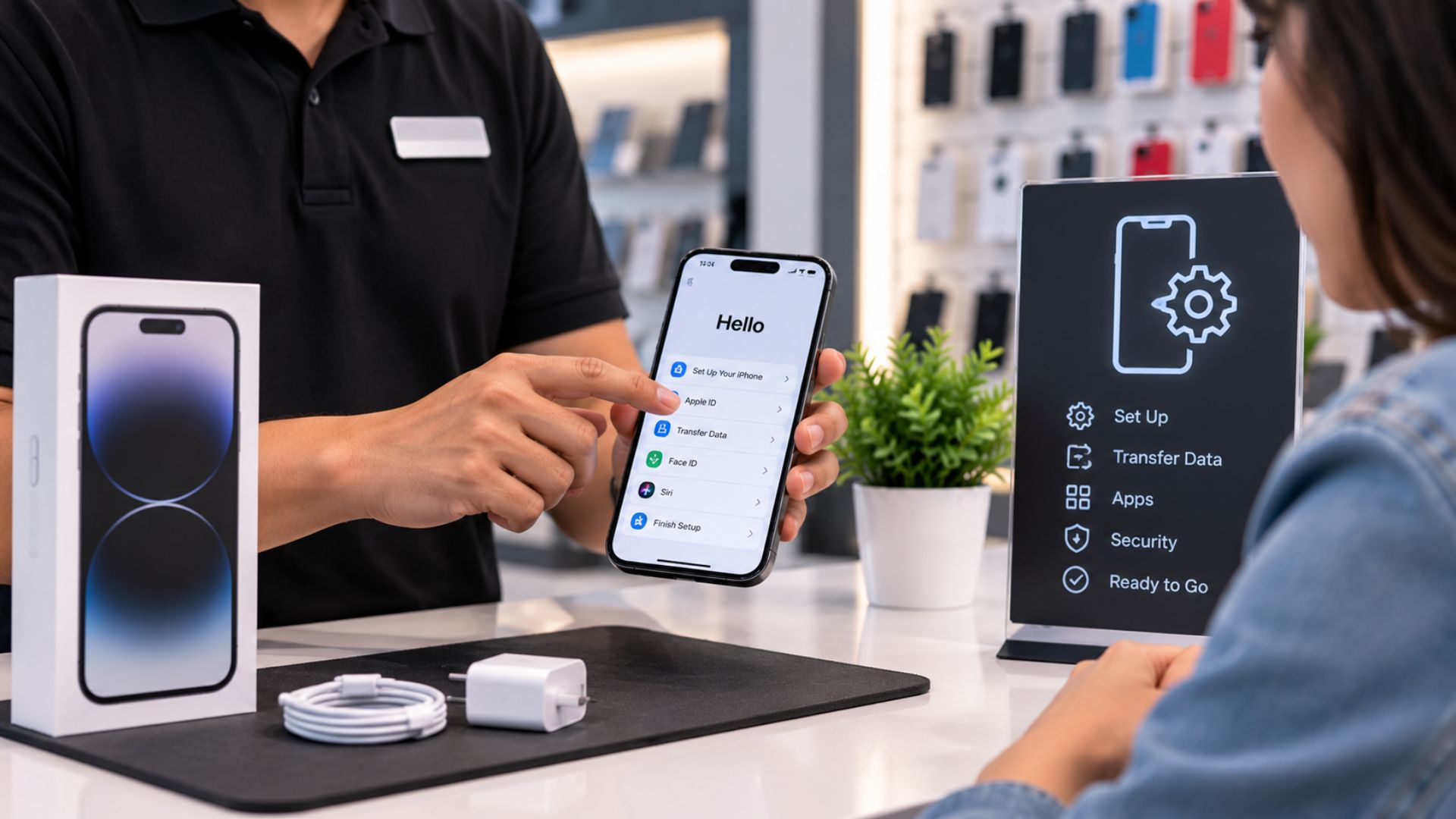
How a Paid Phone Setup Service Can Help Wireless Stores Grow
How a Paid Phone Setup Service Can Help Wireless Stores Grow
Wireless store employees spend a lot of time helping customers set up new phones.
They transfer contacts, connect email accounts, install apps, adjust settings, and explain how the device works.
That support is valuable.
But many stores provide it for free without setting clear limits. Over time, those small tasks can take hours away from activations, sales, and other customers.
The solution is not to stop helping.
The better solution is to offer a clear paid phone setup service.
When customers understand what is included, many will gladly pay for the convenience of leaving the store with a phone that is ready to use.
Why a Phone Setup Service Makes Sense
Most customers do not want to spend hours setting up a new device at home.
They want their phone to work before they leave the store.
A structured setup service can help the store:
Save employee time
Increase the value of each transaction
Create a smoother customer experience
Reduce preventable returns
Set clear service boundaries
Keep sales employees focused on selling
The service works because it solves a real problem.
Customers are not paying for something unnecessary. They are paying to save time and avoid frustration.
Offer Three Simple Setup Levels
A service menu should be easy to understand.
Too many options can confuse customers and make the conversation harder. Three levels are usually enough.
The exact pricing can change based on the store, local market, and amount of work required.
Basic Phone Setup
The Basic option should cover the most important steps needed to make the phone usable.
It may include:
SIM card installation or eSIM setup
Activation check
Call, text, and data testing
Wi-Fi connection
Basic device settings
Face ID or fingerprint setup
Voicemail setup
This option works well for customers who want the phone activated and ready but plan to handle apps and data on their own.
Plus Phone Setup
The Plus option can include everything in the Basic service, along with help moving important information.
It may include:
Contact transfer
Photo transfer
Message transfer when supported
Apple ID or Google account assistance
One email account setup
Installation or updates for up to five apps
This is often a good fit for customers switching devices who want their important information moved without handling it alone.
Premium Phone Setup
The Premium option is a more complete service for customers who want the store to handle most of the work.
It may include:
Everything in the Plus service
Support with up to 10 app logins
Pairing a smartwatch or wireless earbuds
Wallpaper and ringtone setup
Basic accessibility settings
A short lesson on the phone’s main features
This level can be especially useful for older customers, busy professionals, first-time smartphone users, or anyone who wants a more personal setup experience.
Set Clear Boundaries
A paid setup service should clearly explain what is not included.
Without boundaries, a simple setup can turn into hours of unpaid technical support.
Possible exclusions include:
Full password recovery
Banking or financial app troubleshooting
Data recovery from broken devices
Advanced software repair
Support for unrelated accounts
Unlimited help after the customer leaves
Password recovery may be limited to basic guidance because the customer needs to control their own private account information.
Banking apps should also be handled carefully because of privacy and security concerns.
Complex data recovery should be offered as a separate service or referred to a qualified repair specialist.
Present the Service Early
The best time to introduce the setup menu is before the sale is finished.
Do not wait until the customer has already spent a long time in the store.
A simple script could be:
“We offer three setup options. Basic gets the phone activated and working. Plus also moves your data and sets up your main apps. Premium gives you the full setup with app support and a quick lesson. Which option works best for you?”
This presents the service as a normal choice rather than a surprise charge.
Explain the Difference Between Activation and Setup
Some customers may ask why the setup is not free.
Employees should explain the difference clearly.
A simple response could be:
“We will make sure the phone is activated and working. The paid service covers the extra time for moving data, installing apps, helping with accounts, and setting everything up the way you want.”
This keeps the conversation honest.
The customer can choose to complete those extra steps at home or pay the store to handle them.
Use the Service to Reduce Returns
Some customers return because they believe the phone is not working when the real problem is an unfinished setup.
Testing the device before the customer leaves can prevent many of those visits.
The team should confirm:
Calls are working
Text messages are working
Mobile data is working
Wi-Fi is connected
Voicemail is ready
Accounts are signed in when included
Data has transferred when included
Apps open correctly
The customer understands the main features
A complete setup gives the customer more confidence and reduces confusion after the sale.
Create a Setup Checklist
Every employee should follow the same process.
A checklist helps the store deliver a consistent service and prove what was completed.
The checklist may include:
Call test completed
Text test completed
Data test completed
Wi-Fi connected
Apple ID or Google account signed in
Contacts transferred
Photos transferred
Email account added
Apps installed
Voicemail set up
Customer approved the final setup
The customer can review the phone before leaving and confirm that everything looks correct.
Keep Private Information Secure
Phone setup often involves personal data.
Employees may see contacts, photos, emails, account names, or private messages during the process.
Stores should create clear privacy rules.
Employees should:
Ask permission before opening personal apps
Let customers enter their own passwords
Avoid writing down passwords
Never save customer login information
Keep customer devices supervised
Remove transferred data from store equipment
Avoid accessing information that is not needed
Strong privacy practices help protect the customer and the store.
Train the Team to Sell Convenience
The setup service should not feel like an unnecessary fee.
Employees should explain the time and effort it saves.
A helpful script could be:
“You can complete the setup at home, or we can take care of it here so the phone is ready before you leave.”
This gives the customer control.
The best employees do not pressure customers. They explain the choices and help them select the right level.
Assign Setup Work Carefully
During busy hours, the store should avoid having every sales employee spend long periods transferring data.
A better process may include:
One employee handling activations and sales
Another employee completing setup services
Scheduled pickup times for large transfers
Clear limits based on the selected service
A repair bench or setup station away from the main counter
This protects the sales floor while keeping setup work organized.
Track the Time and Results
Store owners should measure whether the service is helping the business.
Useful numbers include:
Number of setup services sold
Most popular service level
Average setup time
Revenue from setup services
Customer return rate
Common setup problems
Employee performance
These numbers can help the owner adjust prices, improve the menu, and remove services that take too much time.
Do Not Promise Every Data Transfer
Some data cannot always be moved successfully.
Problems may happen when:
The old phone is damaged
The customer forgot a password
Cloud storage is full
The devices use different systems
An app does not support data transfer
The customer’s account is locked
The connection is too slow
Employees should explain that transfers are completed when technically possible.
This protects the store from promising results it cannot fully control.
A Setup Service Can Improve the Whole Customer Experience
A paid phone setup service is more than an extra charge.
It can help customers leave the store feeling confident.
It can also help the business:
Earn more from employee time
Reduce free support work
Improve transaction value
Create clearer customer expectations
Prevent avoidable returns
Deliver more professional service
The key is keeping the menu simple, setting clear boundaries, and following the same checklist every time.
Build a Stronger Wireless Store With UPD
Unlimited Prepay Distribution helps wireless dealers build better systems, improve customer service, and create stronger retail operations.
A successful wireless store is not built only on activations.
It is built on the complete customer experience before, during, and after the sale.
Connect with Unlimited Prepay Distribution and build your wireless business with a partner that stays involved.


