
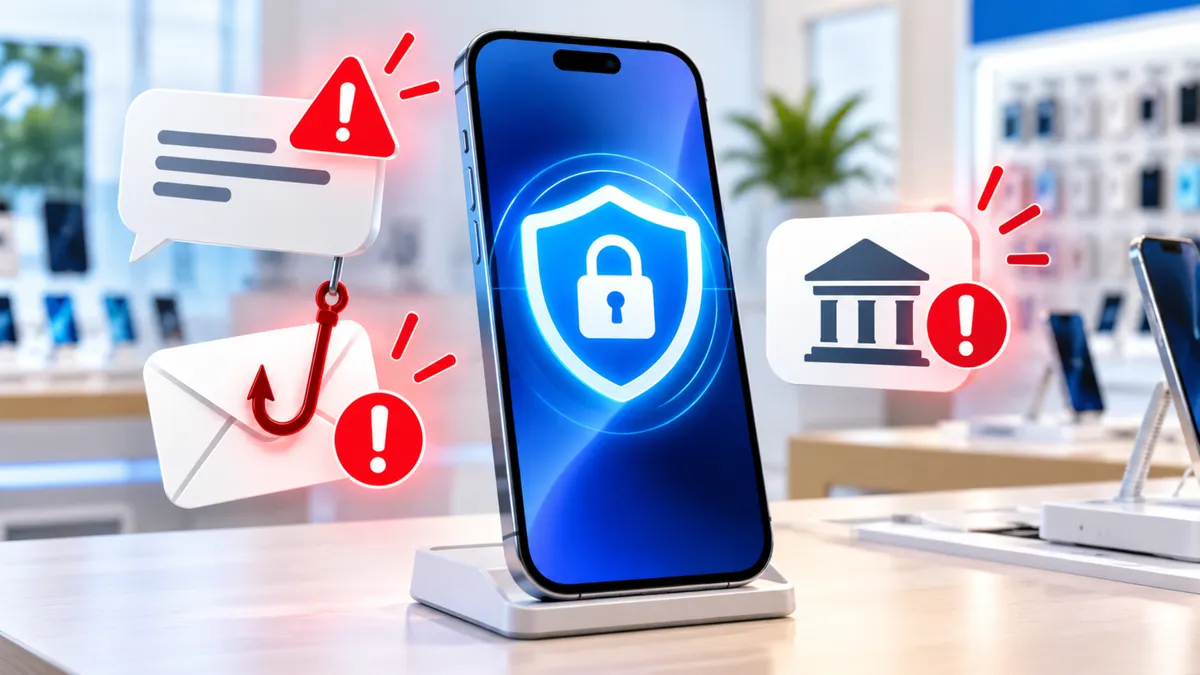
Help Customers Protect Their Phones and Accounts From Scams
Help Customers Protect Their Phones and Accounts From Scams
A customer walks into your wireless store looking worried.
They explain that their phone is acting strangely. They keep receiving suspicious messages, and someone may have tried to access their accounts.
Then they ask your employee:
“Can you check if my phone was hacked?”
This is a situation wireless dealers should be prepared to handle.
Customers depend on their phones for banking, email, shopping, communication, and everyday activities.
When something goes wrong, they may visit the nearest wireless store for help.
Your employees do not need to become cybersecurity experts. But they should understand common security threats, recognize warning signs, and know when to refer customers to the right provider.
Helping customers understand phone security is another way to build trust inside your store.
Not Every Phone Problem Means Someone Hacked It
Customers sometimes use the word “hacked” whenever their phones behave unexpectedly.
Maybe the battery drains faster than usual.
Maybe unfamiliar advertisements keep appearing.
Or perhaps an application suddenly stops working.
These problems can have different causes.
An aging battery, outdated software, storage issues, application errors, or network problems can sometimes create similar symptoms.
That is why employees should avoid immediately telling customers their phones have been compromised.
Instead, start by asking what happened.
When did the problem begin?
Did the customer install a new application?
Did they receive a suspicious message?
Did they enter their password on an unfamiliar website?
The answers may help identify whether the customer needs basic troubleshooting, account-security assistance, or professional technical support.
Suspicious Apps Can Put Customer Information at Risk
Malware is software designed to perform harmful or unauthorized actions.
On a phone, it may attempt to steal information, monitor activity, display unwanted advertisements, or interfere with normal operation.
Customers can encounter malicious software through unsafe downloads, deceptive websites, and suspicious applications.
For example, someone may download an application that promises free movies or special phone features.
The application may ask for access to messages, contacts, notifications, or other sensitive information.
Some permissions are necessary for legitimate applications.
But customers should be cautious when an unfamiliar app requests access that does not match its purpose.
If a customer suspects a malicious application, employees can encourage them to review recently installed apps, use the device's available security tools, and install official software updates.
More serious problems should be referred to a qualified technician or security professional.
Do not promise that deleting one application will completely secure the device or its connected accounts.
Fake Messages Can Look Like Real Carrier Notifications
Imagine a customer receives a text message that appears to come from their wireless carrier.
The message says:
“Your account will be suspended today. Confirm your information to keep your service active.”
A link appears below the message.
The customer becomes worried and clicks it.
They are taken to a website that looks like the carrier's official login page.
But the website is fake.
This is an example of phishing.
Phishing happens when scammers impersonate trusted organizations to trick people into sharing passwords, verification codes, payment details, or other sensitive information.
These messages may pretend to come from banks, delivery companies, online stores, or wireless carriers.
Employees should remind customers that a familiar logo or company name does not prove a message is legitimate.
A safer approach is to open the company's official application or visit its known website directly.
Customers can also contact the organization through a verified support channel.
Verification Codes Should Never Be Shared With Strangers
Many online accounts use verification codes as an additional security step.
A customer might receive a code by text message when signing in or making an account change.
Scammers may try to convince customers to reveal these codes.
For example, someone pretending to be customer support might say:
“I just sent a code to your phone. Tell me the number so I can verify your account.”
That request should raise concern.
A verification code can sometimes allow another person to complete a login or account-recovery attempt.
Customers should not share authentication codes with unsolicited callers, messages, or websites.
Wireless store employees should also avoid requesting or recording customers' passwords and verification codes outside an explicitly authorized and secure process.
If a legitimate transaction requires customer authentication, follow the carrier's approved procedure and let the customer enter sensitive information through the designated secure channel whenever possible.
Protecting customer information should always come before completing a sale quickly.
What Happens When Someone Takes Over a Phone Number?
Not every security problem begins with a suspicious application.
Sometimes the target is the customer's phone number.
SIM-swap fraud happens when a criminal causes a phone number to be transferred to a SIM card or eSIM under the criminal's control.
This may involve impersonating the customer or exploiting weaknesses in an account-change process.
Once the criminal controls the number, they may be able to receive calls and text messages intended for the real customer.
That can create additional risks when online accounts rely on text-message verification.
Imagine a customer suddenly loses cellular service.
A short time later, they notice unexpected account-change notifications or unfamiliar login activity.
These warning signs deserve urgent attention.
However, loss of service alone does not prove a SIM swap.
Network outages, device problems, account issues, and SIM failures can also interrupt service.
The important thing is recognizing when several suspicious signs appear together.
A Customer Suddenly Loses Service and Cannot Access Their Accounts
Consider this situation.
A customer visits your store because their phone suddenly shows “No Service.”
They explain that their phone was working earlier.
They also received an email about a phone-number change they did not request.
Now they cannot access one of their online accounts.
Your employee should recognize that this could involve unauthorized account activity.
Instead of immediately selling a new SIM card or attempting an unverified number transfer, the employee should direct the customer to the carrier's official fraud or account-security support process.
The customer may also need to secure affected email, financial, and other online accounts using a trusted device.
If money or banking information may be involved, they should contact the financial institution immediately.
Wireless dealers must follow their authorized procedures and should never bypass identity verification to resolve the issue faster.
Know Which Problems Your Store Can Handle
Customers may assume a wireless store can fix every phone-related security issue.
But different problems require different types of support.
A store employee may be able to explain basic device settings or help customers locate official support resources.
A carrier may need to investigate an unauthorized SIM or eSIM change.
An email provider may need to assist with account recovery.
A bank must handle concerns involving its customer's financial accounts.
A qualified technician or security professional may be needed when a device appears compromised.
Knowing these boundaries is important.
Do not promise to recover stolen money, restore an account you do not control, or remove every possible security threat.
Instead, explain what your store can do and who the customer should contact next.
Help Customers Secure Their Phones During Setup
A new phone activation or upgrade can be a useful opportunity to discuss basic security.
Customers are already learning about their devices.
Your employee can remind them about a few important settings.
Use a strong screen lock.
Encourage customers to set a secure PIN, passcode, or other supported locking method.
Enable available device-finding features.
Apple's Find My and Google's device-finding services can help users locate supported devices when properly configured.
Keep software updated.
Operating system and application updates often include security fixes.
Review application permissions.
Customers should understand why applications request access to sensitive information.
Use stronger account authentication.
Where supported, passkeys, security keys, or authenticator apps can offer stronger protection against certain account-takeover methods than text-message codes.
Use trusted application sources.
Official application stores and verified developers can reduce some risks, although no source guarantees that every application is safe.
These are practical reminders, not guarantees against every type of fraud.
Customers should remain in control of their accounts and personal information throughout setup.
What to Say When a Customer Receives a Suspicious Message
Employees do not need complicated technical language to explain phishing.
Imagine a customer shows your team a message claiming they need to update their wireless account immediately.
Your employee could say:
“That message might not be from your carrier. Instead of opening the link, let's check the carrier's official app or website. That way, you can confirm whether there's really a problem with your account.”
This response helps the customer understand the risk without creating unnecessary fear.
It also teaches a useful habit they can follow in the future.
If the customer already entered a password into a suspicious website, recommend changing the affected password through the legitimate service.
They should also review account activity, recovery information, and available security settings.
If financial information was shared, they should contact the relevant financial provider promptly.
Protect Customer Information During Activations and Upgrades
Phone security is not only about protecting devices from outside threats.
It also involves how your store handles customer information.
Wireless transactions may involve names, phone numbers, identification details, account information, and other sensitive data.
Employees should understand the privacy and verification requirements that apply to their work.
For example:
Do not photograph or retain identification documents unless the process is authorized and necessary.
Do not save customer passwords in personal notes or messaging applications.
Do not share customer account details with unauthorized individuals.
Do not skip required verification because a customer appears familiar.
Use approved systems and procedures when completing activations or account changes.
These habits can help reduce unnecessary exposure of customer information.
They also demonstrate that your store takes customer trust seriously.
A Security Question Can Become a Valuable Customer Conversation
Imagine a customer purchases a new phone.
During setup, your employee explains how to create a screen lock and enable the device's built-in security features.
The customer asks about suspicious messages they have received in the past.
Your employee takes a moment to explain how to recognize fake login links and where to find official support.
That conversation may not create an immediate additional sale.
But it gives the customer useful information.
The customer leaves understanding more about their device and how to protect their accounts.
A helpful experience like this can support stronger customer relationships.
When customers trust your store to explain products and services clearly, they may be more comfortable returning for future upgrades, accessories, and wireless needs.
Train Your Employees to Recognize Security Warning Signs
Wireless dealers can improve security awareness without creating a complicated training program.
Start with situations employees may actually encounter.
1. Practice recognizing suspicious messages.
Show examples of messages that pressure customers to click links or share personal information.
2. Explain the difference between device problems and account problems.
Employees should understand that unusual phone behavior does not always mean hacking.
3. Review carrier verification procedures.
Make sure staff know the correct process for activations, SIM changes, and account-related requests.
4. Teach employees when to escalate.
Unexpected number transfers, compromised financial accounts, and serious malware concerns may require specialized assistance.
5. Practice protecting customer privacy.
Review how employees handle passwords, verification codes, identification, and account information.
6. Keep official support resources available.
Employees should know where to direct customers for carrier fraud support, account recovery, and qualified technical assistance.
These lessons can help your team respond more confidently when customers raise security concerns.
Better Security Awareness Builds Better Customer Trust
Customers depend on their phones for more than calling and texting.
Their devices connect them to financial accounts, work, family, and important personal information.
That makes basic security awareness valuable for every wireless store.
Your employees do not need to diagnose every problem or solve every account takeover.
They need to recognize warning signs, explain common risks, protect customer information, and know when to refer customers to the appropriate provider.
A store that takes these responsibilities seriously can provide a better customer experience.
And better customer experiences can help build lasting relationships.
The next time a customer asks whether their phone has been hacked, your team should know how to start the conversation.
Help Your Wireless Business Grow With UPD
Running a successful wireless store means helping customers understand both their wireless service and the devices they use every day.
At Unlimited Prepay Distribution (UPD), we're focused on helping independent wireless dealers explore available products, understand service opportunities, and strengthen their businesses.
As you train your team, make sure employees understand current offers, authorized account procedures, and the importance of protecting customer information.
Want to explore more opportunities for your wireless store? Connect with Unlimited Prepay Distribution and learn how UPD can support your dealer business.


